C
ONNECTING
:
Rear view of appliance :
1) Ampli IN (double pair)
2) General power plug and switch (with internal fuse)
3) Left channel Output
4) Right channel Output
D
ETAILS OF FUNCTIONS
:
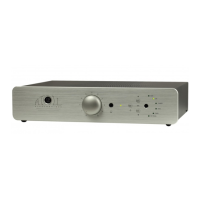
Front view of Amplifier :
5) Power indicator led.
A
DVISES
:
- To optimise the performances of your amplifier, you should switch it on
at least half an hour before any listening, the time for power stage to
reach their ideal working temperature. Between two utilisation, it's better
to use the stand-by position, so that the power stages remains at their
optimal temperatures.
- We advise you to use good wires to link with the other elements (CD
player, Loudspeakers…). Don't hesitate to take advise from your dealer.
- Your Amplifier is equipped with a temporised switch on. A relay protect
loudspeakers on output power stage from over-voltage.
MODE BRIDGE MONO
To transform your Power Amplifier from Stereo to mono, you have to push the
switch (a) placed inside the appliance as shown below:
Careful: be sure that your
amplifier is unplugged and
that no other appliance is
plug in during this
operation.
E.C.
M
ARKING
:
E.C. marking certified the conformity with low tension directive
73/23/CEE, directive CEM 89/336/CEE and national transpositions.
G
UARANTEE
:
The guarantee is two years long from date of purchase. We recommend
you to ask your dealer to fill the guarantee and to conserve it. The
guarantee is only available for appliance which have been use correctly.
C
LEANING
:
Before any cleaning, switch off your amplifier (6). Use a soft and dry rag to
clean up the appliance. Never use acetone, white-spirit, ammoniac, or any
kind of product containing abrasive agent. Never try to clean up inside the
appliance.
5
(a
(a)

 Need help?

 To Next Page
 General