Need help?
Do you have a question about the Atoll SDA200 and is the answer not in the manual?
Instructions for cleaning the appliance using a soft, dry cloth, avoiding abrasive agents.
Details the two-year warranty period and recommendations for its validation and conservation.
Details the various input and output ports on the rear of the appliance for connectivity.
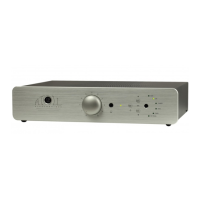
Explains the buttons and indicators on the front panel of the appliance for user interaction.
Detailed explanation of each button on the remote control and its function.
Instructions for correctly installing and connecting the Wi-Fi antenna for optimal reception.
Guidance on connecting speakers directly or for bi-amplification setups.
Explains the trigger function for synchronizing ON/OFF states with other compatible amplifiers.
Configuring device settings including network, time, user interface, and playback options.
Selecting and managing favorite music tracks or internet radio stations.
Accessing and navigating files on connected USB media devices.
Accessing and browsing music, photos, and playlists from network media servers.
Accessing and searching through internet radio stations via vTuner.
Using the SDA as a power amplifier by bypassing the preamp section on analog inputs.
Steps for initial association and subsequent use of Bluetooth audio streaming.
Using the mobile application to control the SDA, including navigation and volume adjustment.
Steps to stream media content from a Windows PC using Windows Media Player.
Recommendations for sharing files from a MAC computer using compatible DLNA software.
Detailed steps for downloading and installing the specific driver for the USB-B input on Windows.
Provides solutions for common problems such as no sound, network access, USB recognition, and overheating.


 To Next Page
 General