EasyManua.ls Logo

Atomic 3000 LEDSTROBE - DMX Operation; Features Menu; System Info; Display Settings

Default Icon
14 pages
Print Icon
To Next Page IconTo Next Page
To Previous Page IconTo Previous Page
Loading...
3
4.
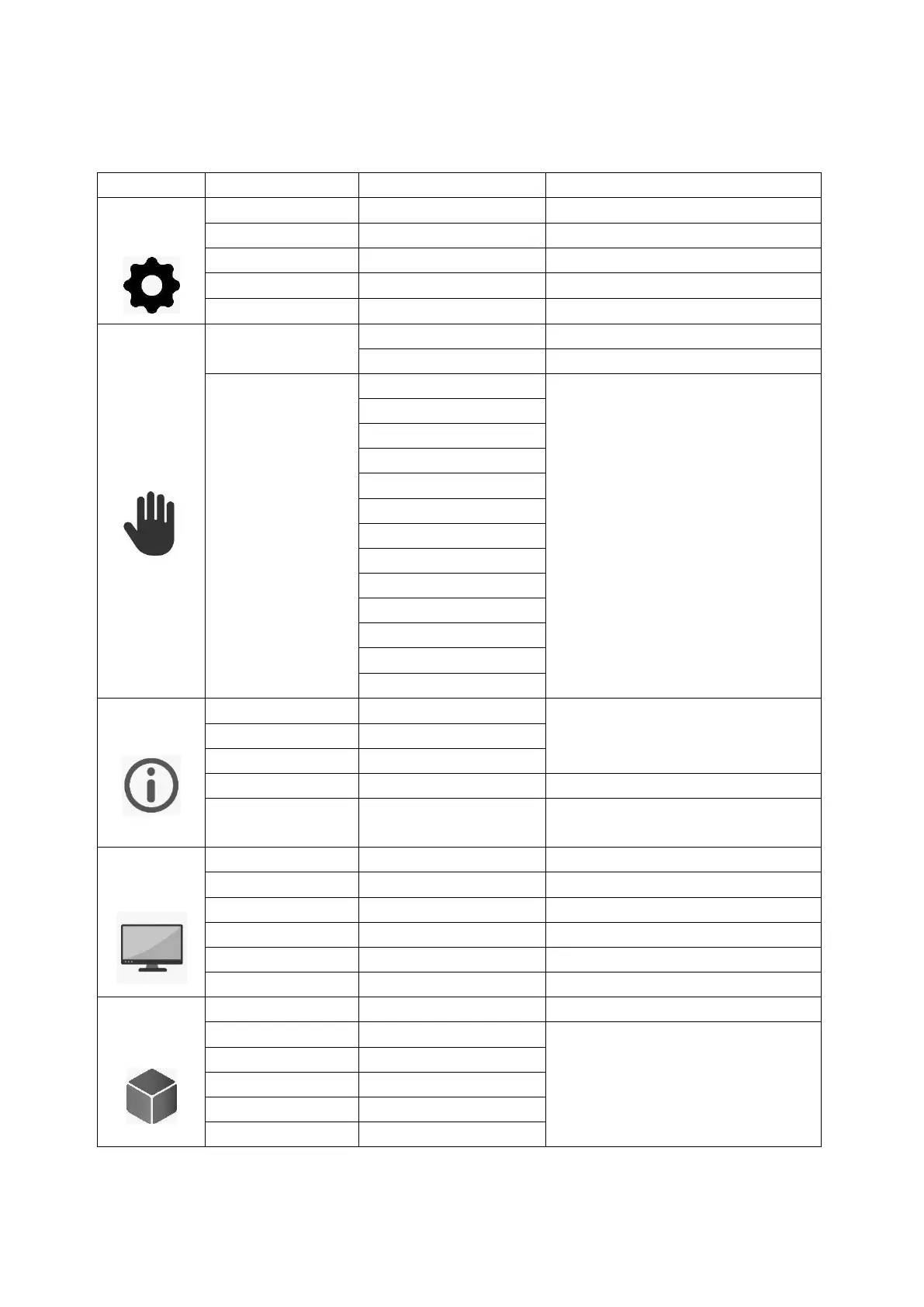
DMX operation MENU
Choice
Function
Display
Explain
FEATURES
SETTING
Run Mode
DMX, Auto, Sound
Modes of operation
Channel Mode
3, 4 and 14 channels
DMX, 3, 4, 14 channel modes
Singl Clear
On, Off
ECO MODE
On, Off
Power attenuation
Success
Leave
Handbook
TEST RUN
car
Automatic mode
SOUND
Rhythmic Audio Mode
SIMULATE DMX
Beam intensity
Manual Function Control
Beam duration
Beam rate
Beam effect
Setting
FX select
FX adjustement
Reserved
Background shuter
Background dimming
Background R
Background G
Background B
syste info
DMX VALUE
CH 1
DMX value of each channel at the
moment
CH 14
REST INFO
No function
OTHER INFO
Temperature, time information
of equipment use, software version
DISPLAY
SETTING
Light Set
Display brightness level
Light Off
Display off time
Menu Back
Background shutdown time
Light Flash
On, Off
Flashing display without signal
Touch Cali
On, Off
Touch calibration
Exit
Leave
DIMMER
SETTING
Dimmer Mode
In the purse
SW Balance
Off
Adjust maximum color level
Blance Red
0 255
Green Balance
0 255
Blue balance
0 255
White balance
0 255