1) On mode 3 condition, when the CH6 on 0-24, CH2 can select built-in static state color,
but the function of red color dimming will be temporary failure, CH3/CH4 will be failure in
the same time;
2) when CH6 on 25-249 , CH2 can adjust the CH6 selected built-in program running
speed, but the function of red color dimming will be temporary failure, CH3/CH4 will be fai-
lure in the same time;
3) When CH6 on 250-255, can open the sound active function, now CH2 can adjust the
sensitivity of sound active, but the function of red color dimming will be temporary failure,
CH3/CH4 will be failure in the same time;
4) CH6 not as 0, the function of CH2, CH3, CH4 dimming on red color/ green color/Blue
color will be failure.
4_Master/Slave Mode
Press “MODE” button, enter salve mode “SLAV”
The effect of mater light on built-in program, auto run mode or sound active mode, is the
same with the salve light which hang over on the master cable.
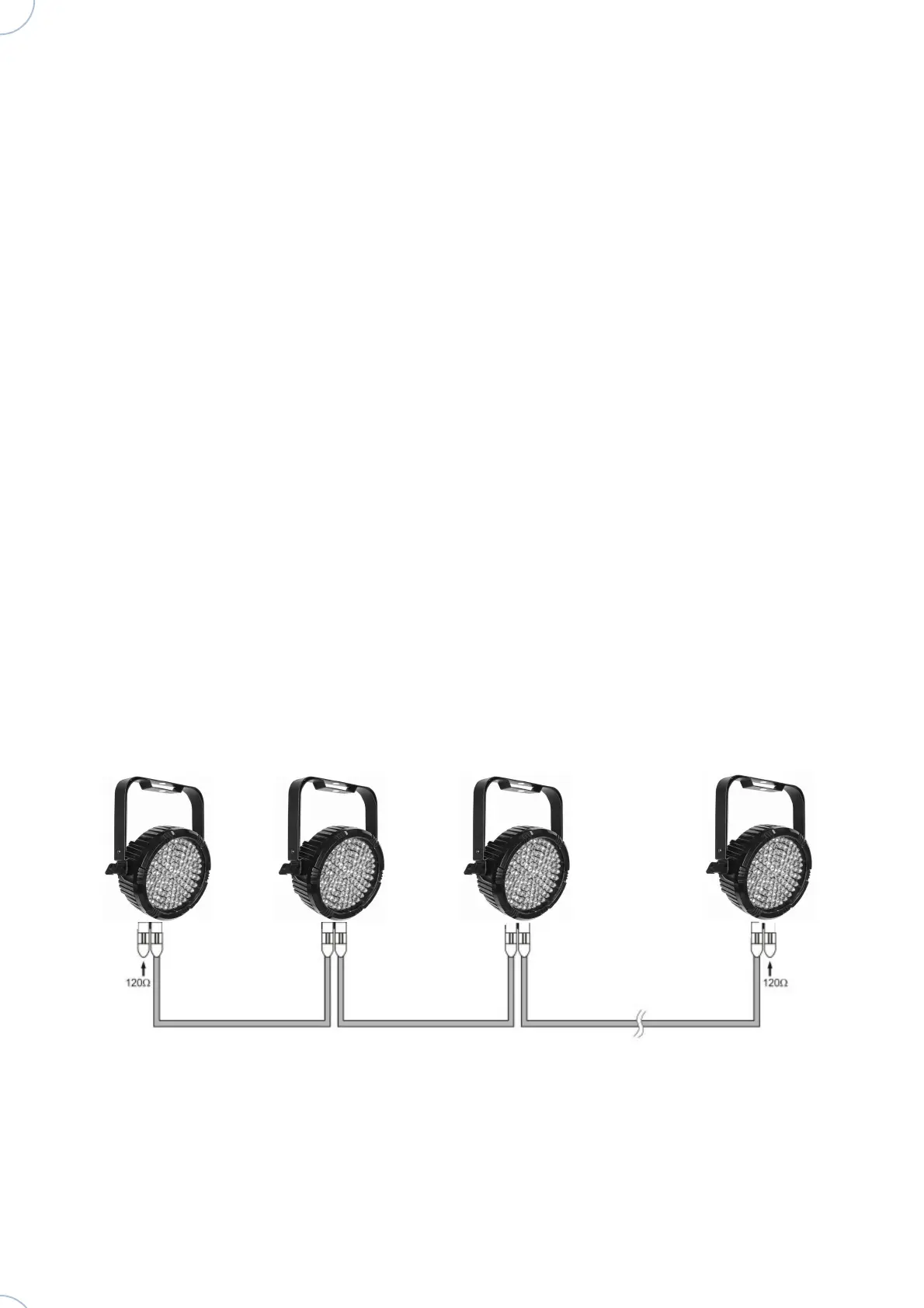
Example of connecting multiple lights with the Master / Slave mode:
Atomic4Dj Par64 Led Slim RGB – www.Atomic4Dj.com



 To Next Page