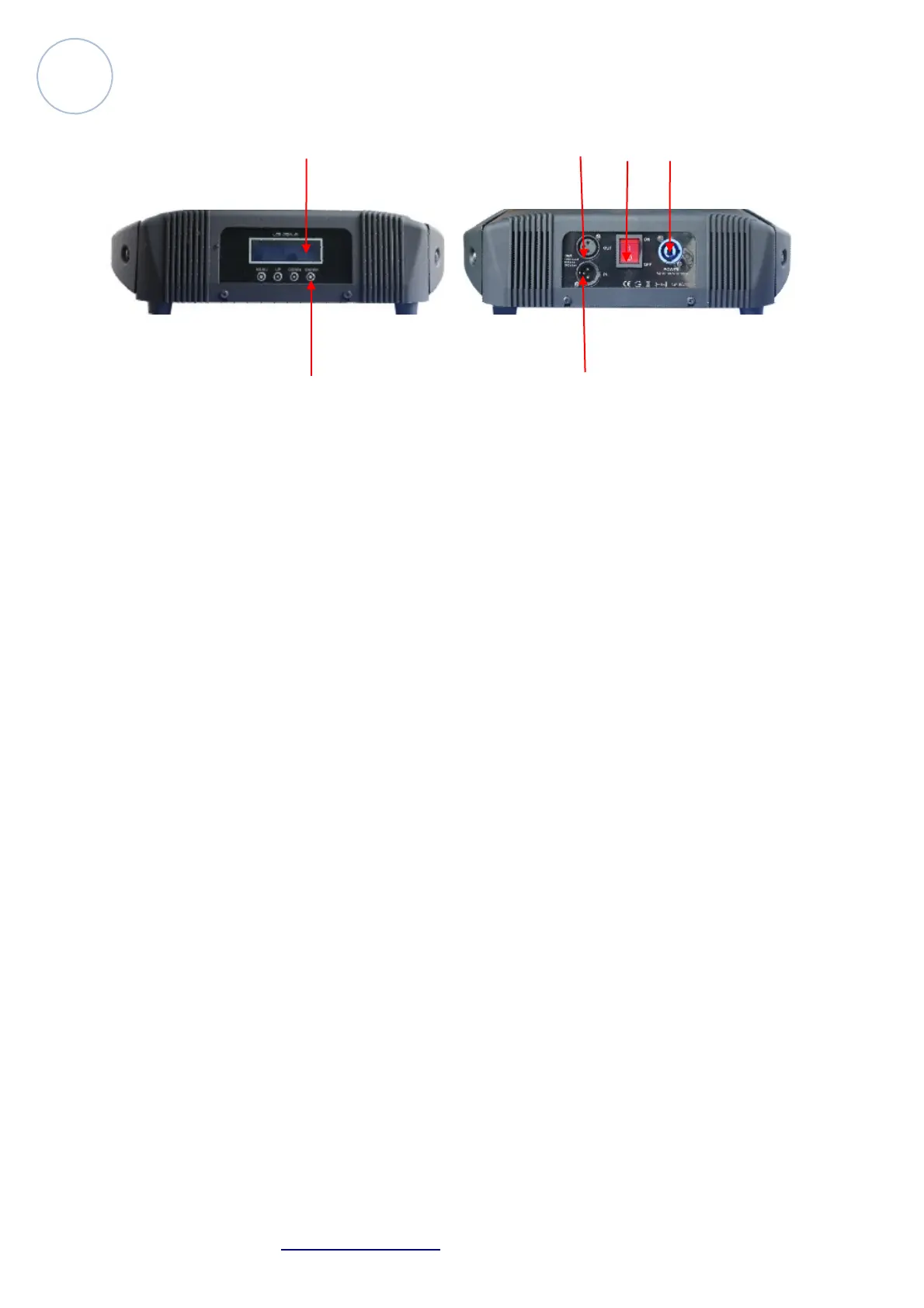
Controlling Board
1 4 5 6
2 3
1. LCD Display Menu
2. Display Control Button.
Buttons: Menu, UP, Down, Enter
3. DMX In
Connect 3 pin XLR signal cable with male connector to obtain signal from
other unit or controller
4. DMX Out
Connect 3 pin XLR signal cable with female connector to transfer signal to
next unit
5. Switch
Power on/power off
6. Power Input
Connect power cable to obtain power.
Atomic4Dj Probeam7R – www.Atomic4Dj.com 7



 To Next Page