Atomos Ninja Star – User Manual Edition 1: October 2014 9
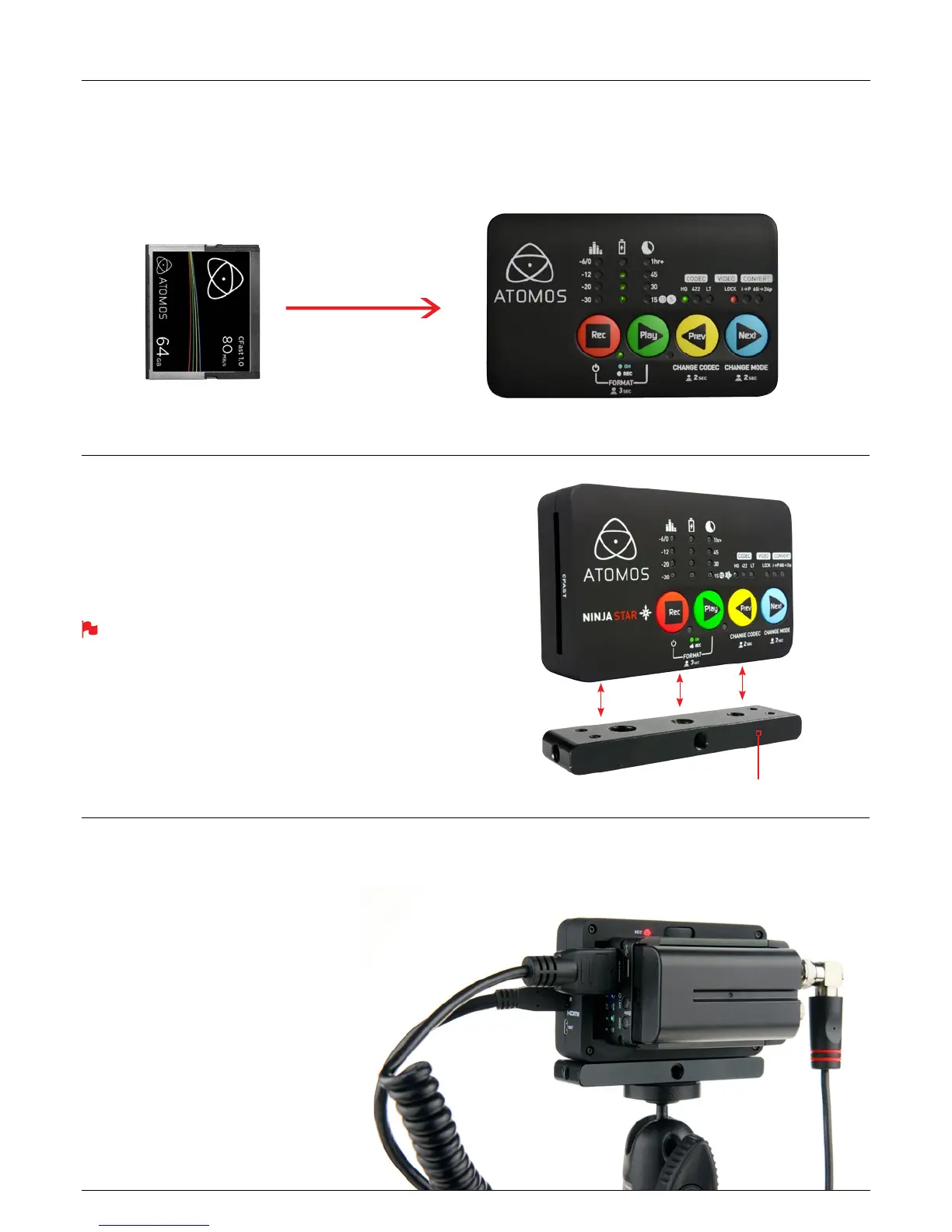
CFast Slot
On the left hand side of the unit is a slot for CFast cards. To insert a CFast
card, slide in card rmly in position.
Formatting card - See page 11
Hot swappable
The CFast cards are hot-swappable, so you can do this at any time – even
while the unit is turned on. But don’t do it while recording or you will get a
corrupted le that may be unplayable.
CFast Slots
Mounting options
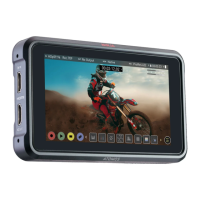
The Ninja Star comes with a mounting plate which features standard tripod
1/4” and 3/8” screw mounts. This can be attached to the top or bottom of
the Ninja Star with the 4 included screws, allowing you to congure your
recording setup various ways.
If mounting the Ninja Star on aerial videography platforms or a quad
copter, check that the total weight does not exceed the payload limit
of the aircraft.
Ninja Star = 130g
Atomos battery = 100g
Ninja Star mounting plate with screws = 55g
Mounng Plate
Ninja Star Modularity
The Ninja Star was designed to be a exible and modular system. It will
work with a variety of battery systems. Canon and Nikon battery adapters,
as well as a D-Tap Adaptor are available.
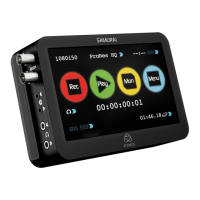
The Ninja Star’s battery slot is the key to its modularity. They provide a
secure attachment point for modular add-ons such as the Atomos Connect
converters (pictured).
Available Atomos adapters:
H2S - Add SDI output to your Ninja Star
S2H - Add SDI input to your Ninja Star
D-tap adapter - Power the Ninja Star from your rig
Canon Battery Plate Adapter
Nikon Battery Plate Adapter


 To Next Page