3 0 0
C
5 0
REAL SET
Settings
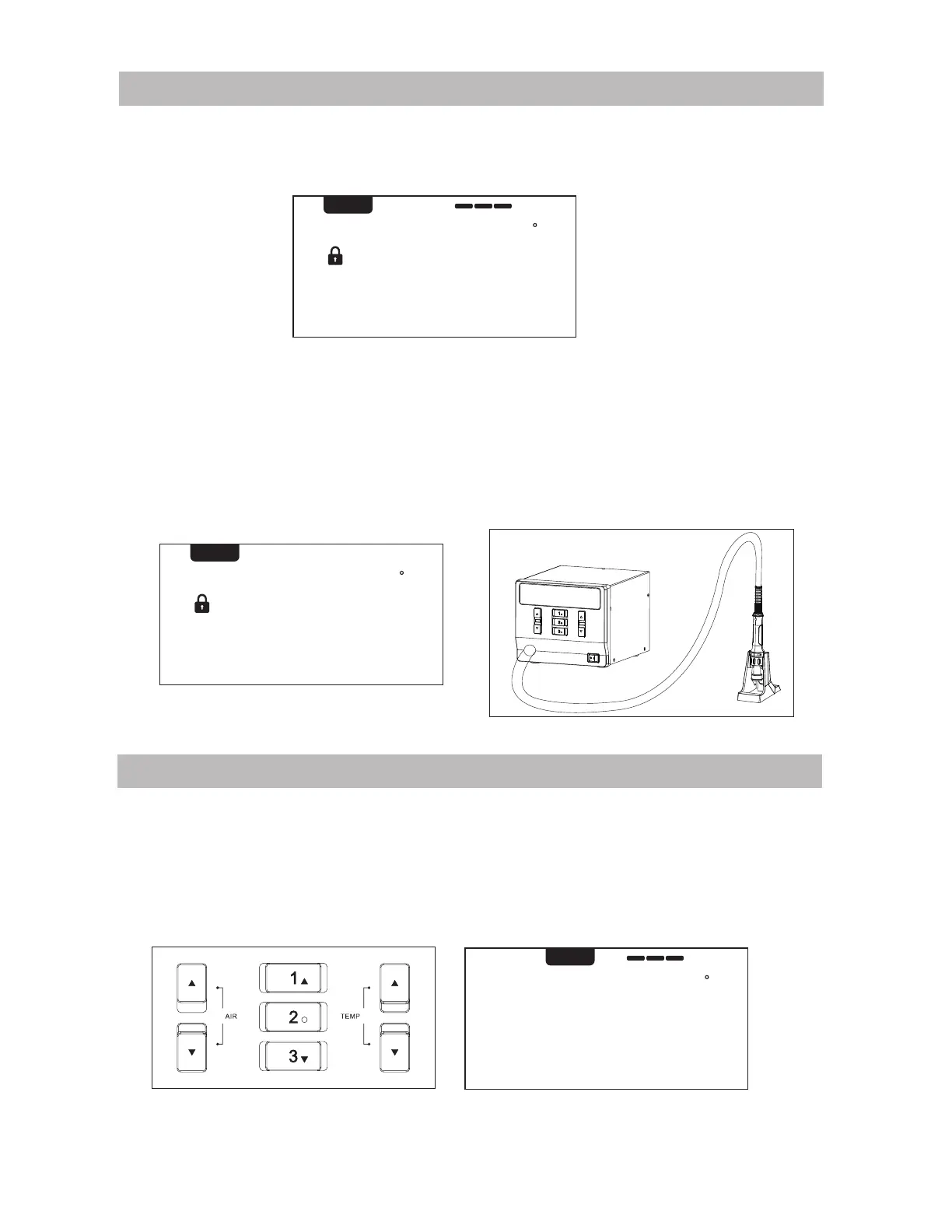
1. Normal display
(FIG. 1-1) shows real temperature is 300°C, the temperature setting value is locked,
the air volume is 50% and the heating power value is 3 bars.
FIG. 1-1
%
Temperature/Air Flow Setting
1. Adjust the air volume: Press air “▲” or “▼” key (see FIG 1-4). Long press for quickly
adjusting. Stop pressing the key for 3 seconds, it will save the setting automatically.
2. Adjust temperature value (when temperature value is locked, it can not be adjusted): Press
temperature "▲" or "▼" key, switch to SET status (see figure 1-5). Long press for quickly
adjusting, stop pressing the key for 3 seconds, it will automatically save temperature
setting, and state switch to REAL.
3 0 0
C
5 0
SET
%
FIG. 1-4 FIG. 1-5
of f
C
5 0
REAL SET
2. Display Of Hot Air Gun Status
(FIG. 1-2)shows when the air gun is off (non-power)) The setting value can be adjusted
when the hot air gun is off. When the hot air gun is on, it will work according to the
setting value.(FIG. 1-3) When the handle of the air gun is placed on the holder, the hot
air gun will automatically stop heating and delay air supply, (the air supply will stop after
the heating wire cools). Pick up the handle again and press the switch key on the handle,
it will resume to work.
FIG. 1-2
%
FIG. 1-3
5


 To Next Page