25
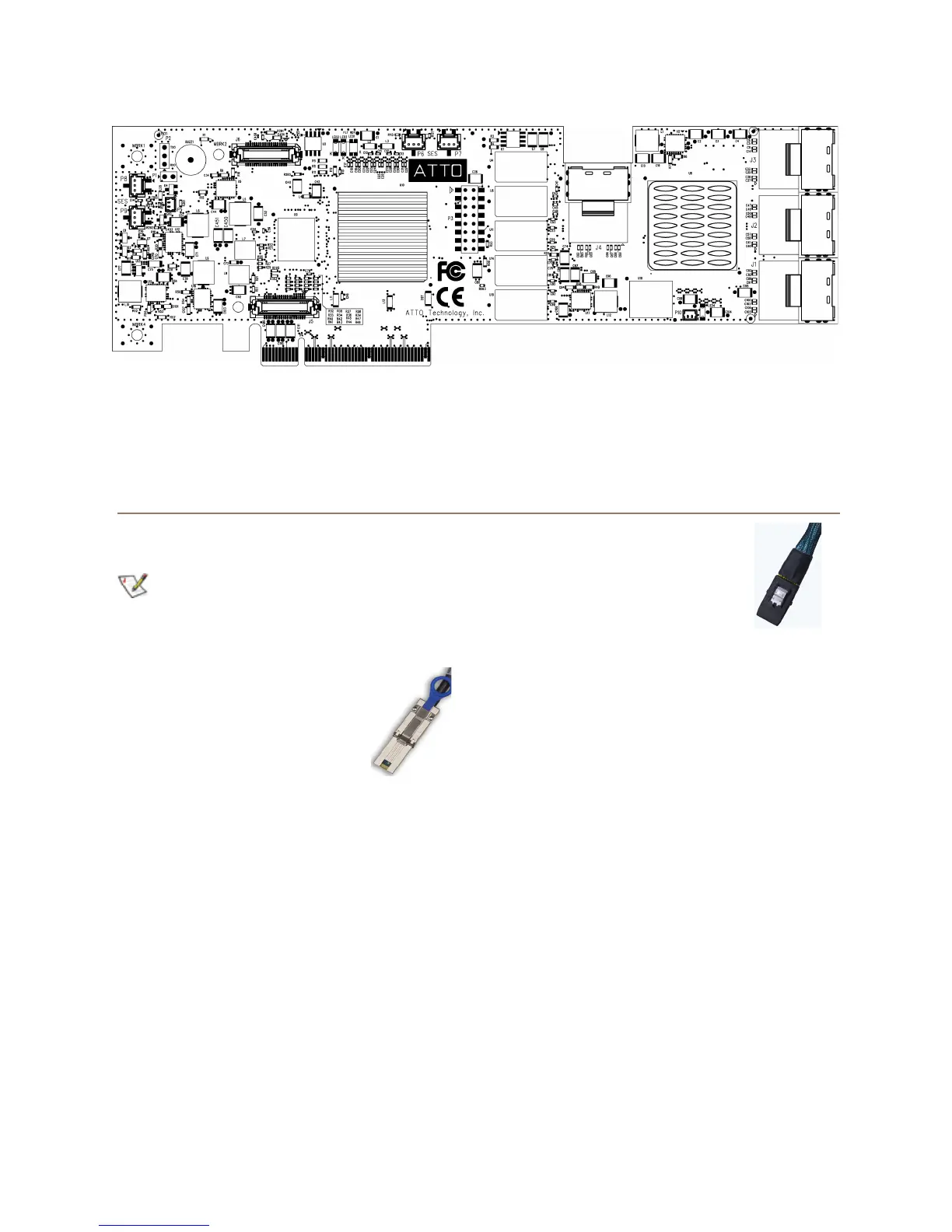
Exhibit 5-23 ExpressSAS R60F Adapter board..
Install storage
1 Connect your SAS/SATA storage to the ATTO
ExpressSAS adapter.
Consult with your storage vendor for the
proper connectors and cables to interface
with your storage
• External connectors: use
SFF-8088 connectors.
• External connectors: use
SFF-8644 mini-SAS HD
connectors (GT only).
• Internal connectors: use
SFF-8087 internal
connectors.
• For SATA, use cables which
are no longer than 1 meter.
• For SAS, use cables which
are no longer than 7 meters.
2 Plug in your computer and storage and power
them on.
3 If required, configure your storage and adapter,
including RAID, using the ATTO ConfigTool
found in ATTO Utilities on the Installation CD or
the ATTO web site. Default settings are
appropriate for most systems but you may
change settings using the ATTO ConfigTool.


 To Next Page