WUHAN AU3TECH TRADING CO., LTD
MCC3721H User’s Quick Setup V1.02
The 5th general input port, low-level
propagation is effective(Default).
The 6th general input port, low-level
propagation is effective(Default).
The 7th general input port, low-level
propagation is effective(Default).
The 8th general input port, low-level
propagation is effective(Default).
The 1st industrial Ethernet interface
These two ports can be
arbitrarily configured
The 2nd industrial Ethernet interface
It can butt-joint with laser
The same interface with
DB9 port
Four-pin aerospace plug, the FTC’s capacitive
signal interface of Z axis
Z Axis motor’s controlling signal
Z Axis’ negative limit input
Z Axis’ positive limit input
Powering port for Z axis’ limit sensor
GND, Z Axis’ limit signal COM port
Wireless remoter’s USB interface
3. Installation and wiring of CNC system
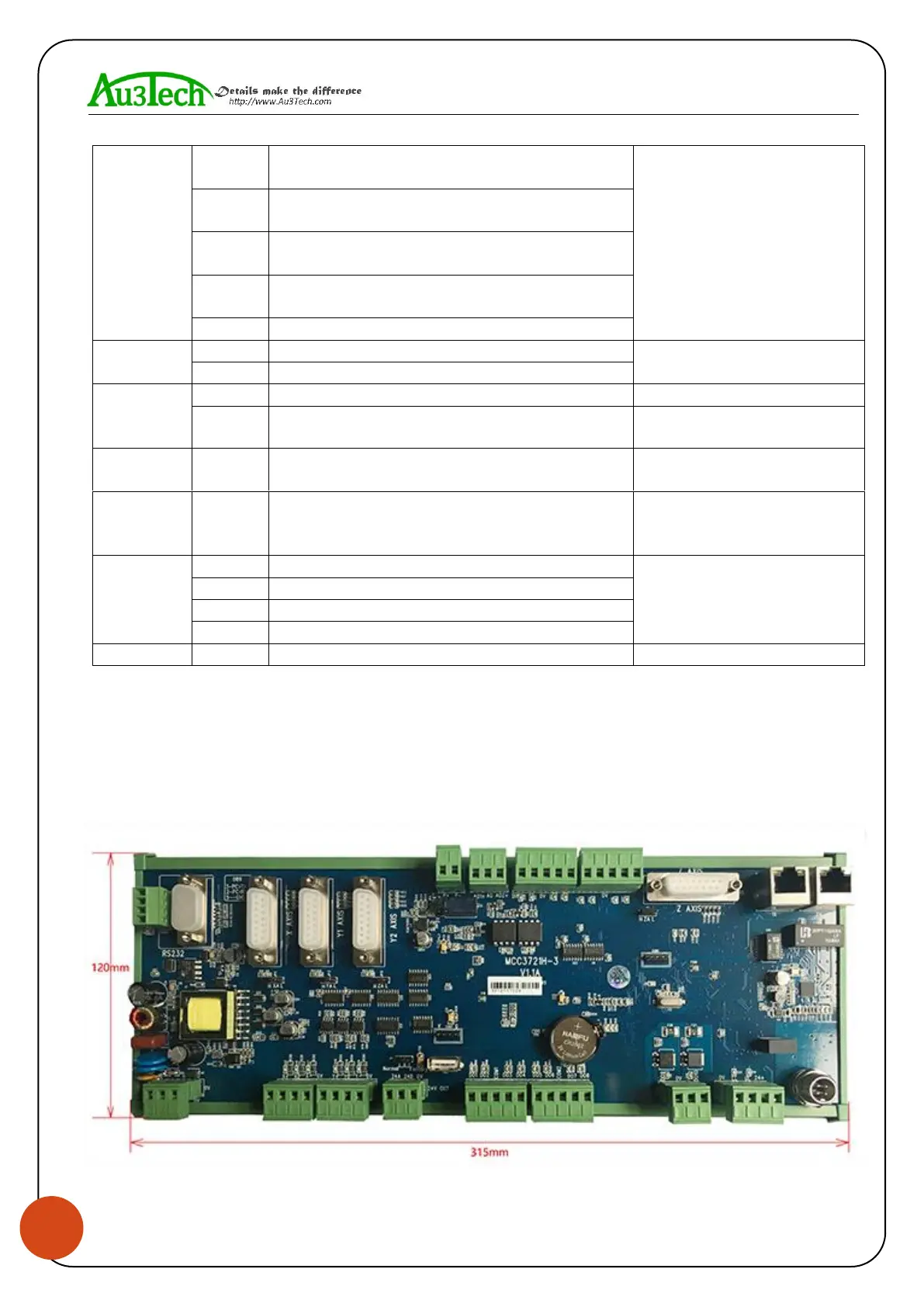
3.1 Installation dimension.
SC1000 CNC system supports 35mm’s DIN-Rail Mounting, 315mm (length) x 120mm(wide).


 To Next Page
 Loading...
