WUHAN AU3TECH TRADING CO., LTD
MCC3721H User’s Quick Setup V1.02
3.2 Installation of limit port or other IO port.
Limit input.
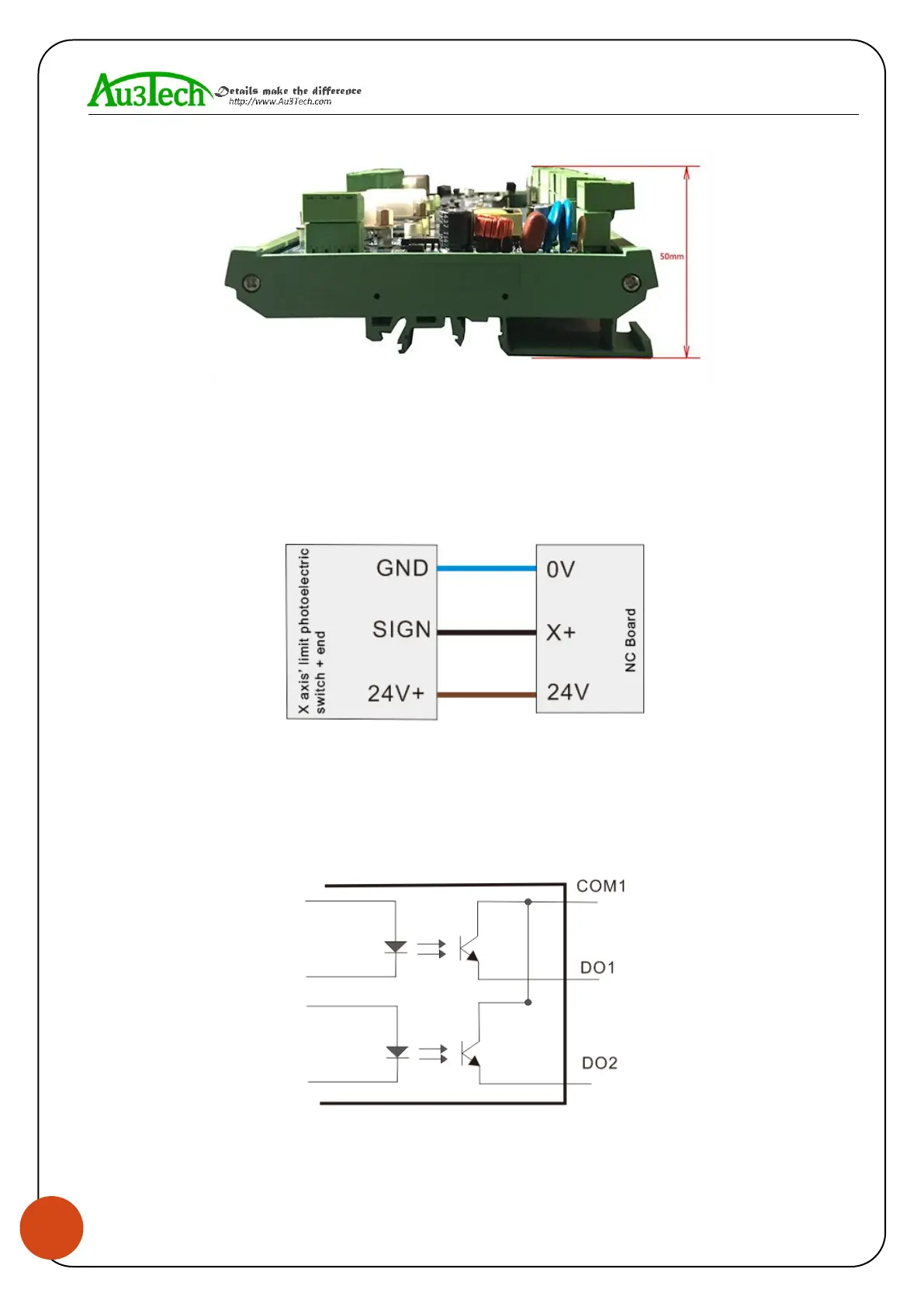
SC1000 CNC system software provides three axis’ limit input ports, which are X axis, Y axis, Z axis.
Take X axis as an example, installing axis’ limit signal. NPN photoelectric switch’s typical wiring
shows as below:
General custom output port:
SC1000 CNC system software provides 8 kinds of general custom output ports, and the function of
each output port can be arbitrarily configured by software. The output port is passive output port.
The output mode shows as below:
Thyristor output port:



 To Next Page