WUHAN AU3TECH TRADING CO., LTD
MCC3721H User’s Quick Setup V1.02
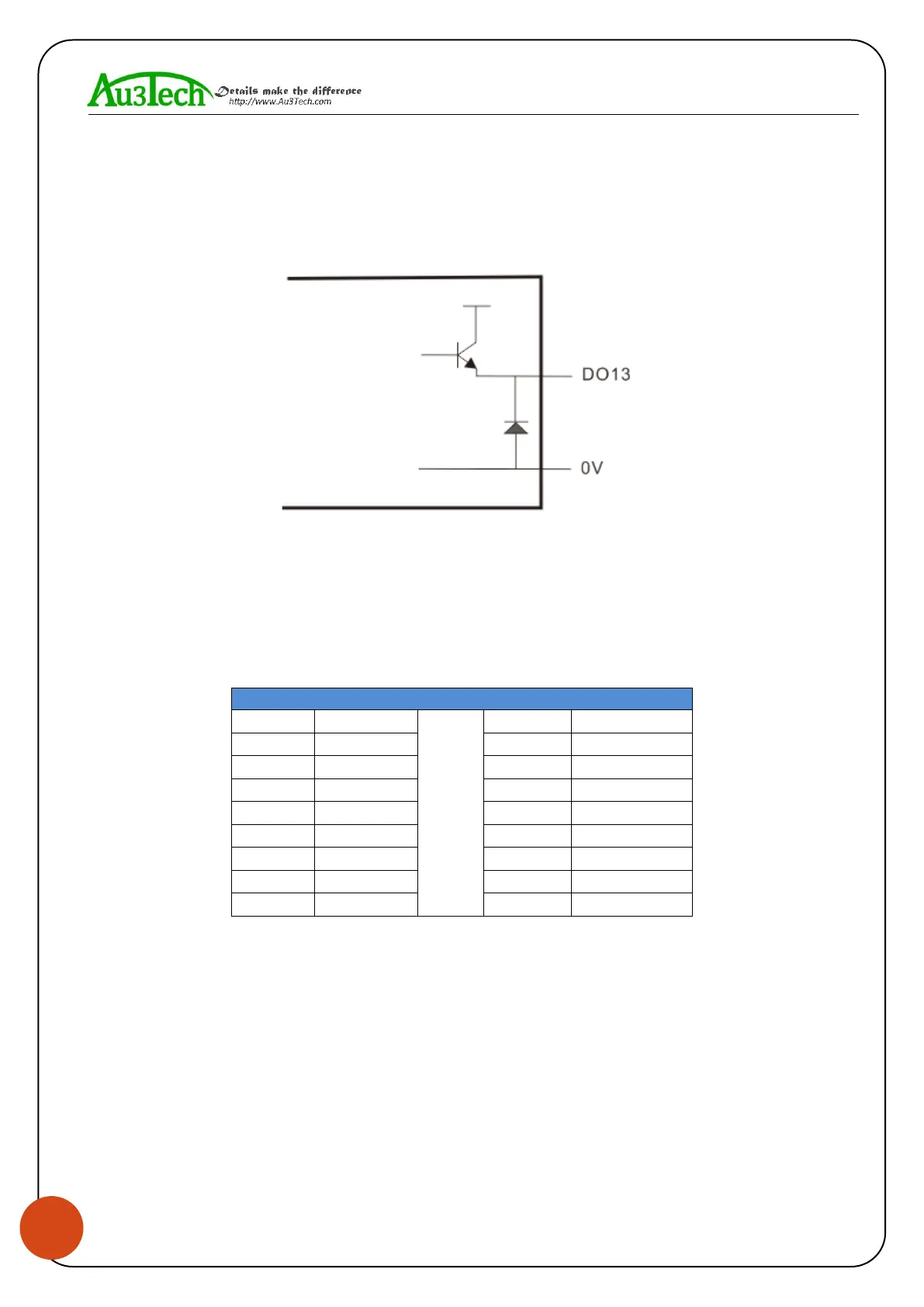
SC1000 CNC system software provides 2 kinds of thyristor output ports, and the function of output
port can be arbitrarily configured by software. The output port is active output port, and the drive
capability in maximum is 24V/1A, which can directly drive 24V DC solenoid valve.
The output mode shows as below:
3.3 Connecting X/Y axis’ servo driver
SC1000 CNC system software provides 4 kinds of servo control interfaces, which are X axis, Y1 axis,
Y2 axis, Z axis. The connecting type is DB15 female. When the system is dual - drive mode, Y1 axis
and Y2 axis separately controls Y axis’ two kinds of servo drivers. And when it’s single drive mode,
Y1 axis controls Y axis’ servo driver. The definition of these four servo control interfaces are the
same, they all adapt the position loop control mode. The definition of each pin shows as below:
Axis’ servo control interface (DB15 female)
SC1000 CNC system software adapts “pulse + direction signal” to control servo driver, which can
support all kinds of servo driver such as “Yaskawa”、“Panasonic”、“Fuji”、“Delta”、“Kymmene”、
“Adtech” and so on. The wiring mode shows as below:


 To Next Page
 Loading...
