connector off the cord to a power strip outlet that meets the local standards for the
output. For the input, the controller has standard IEC 320 C13/14 socket. Users can use
a computer power cord that meets the local standard to power it.
Operating Instructions
1. Description of the controller
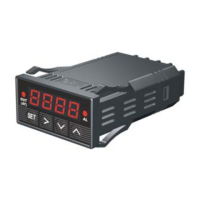
Figure 1. Front Panel
1) TEMP1, Left window - During normal operation, it displays the temperature values
of probe 1. When the high or low limit alarm of probe 1 is on, this window will flash
between the alarm type (AH1or AL1) and the temperature. In the parameter setting
mode, it displays the controller's system parameters.
2) TEMP2/TIME, Right window - During normal operation, it displays the
temperature value of probe 2 (food internal temperature probe) or the time passed
since the controller was powered up. When the high limit alarm of probe 2 is on,
this window will flash between AH2 and the temperature. In the parameter setting
mode, it displays the value of the parameter.
3) Output status indicator - This LED indicates the output status that should be
synchronized with the heater. When it is on (lit), the heater is powered. When it is
off, the heater power is off. When it is flashing, it means the heater is on and off
intermittently to reduce the power output. It should be synchronized with the power
light on the cooking device.
4) Smoker generator control output status indicator. When lit, the smoker
generator control output is on. When off, the output is off.



 To Next Page