Chapter 4
Using the NMP40
Since the NMP40 is a SourceCon™ module, it can be combined with a variation of
supporting main units. The operation and configuration interface might be different of
the unit where installed, however the offered functionality is identical. Some devices
will support control and configuration through a front panel graphical control interface
on a display, while others are also supporting web-control.
This manual describes the control configuration possibilities using front panel control. For
applications where more control possibilities are offered, check the instruction manual
of the used main device for more instructions.
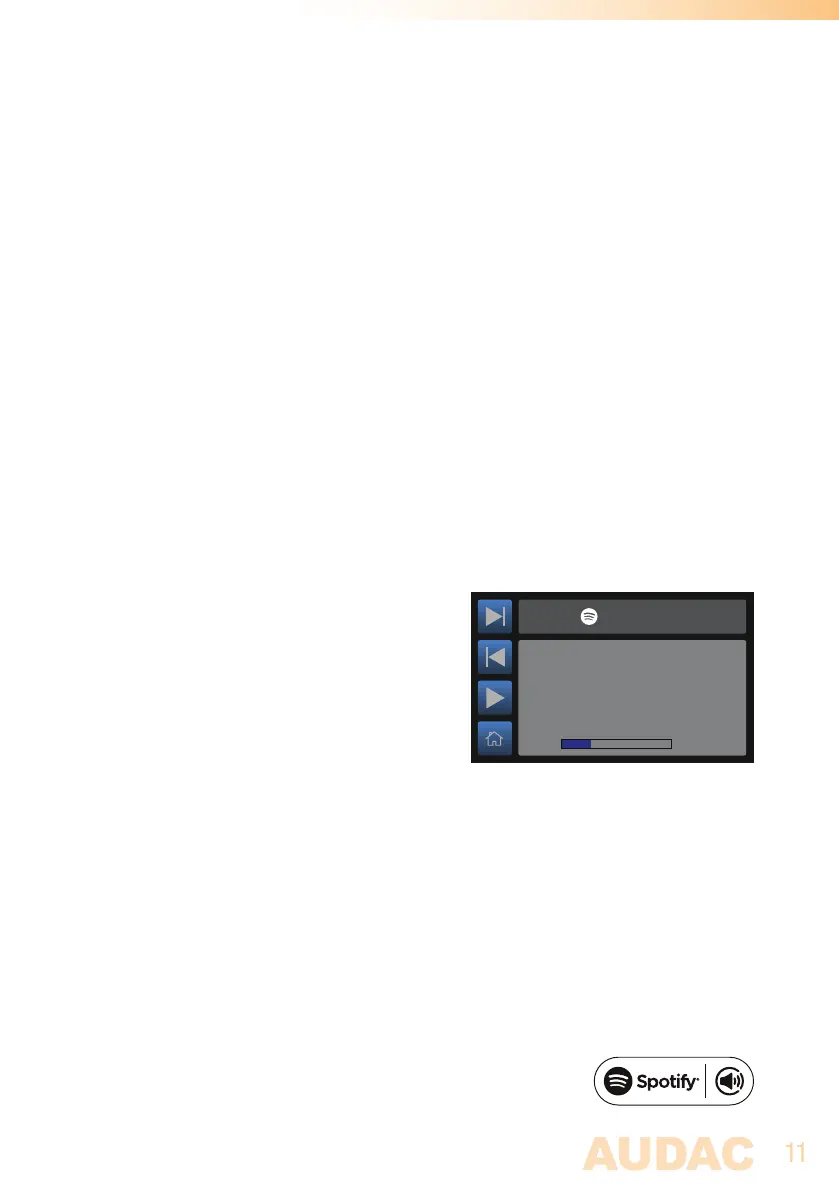
Module screen
The module screen of the NMP40 gives an
overview of the currently playing track, and
can be used to play and pauze the music and
to select the next or previous track.
The left section of the module screen includes 4
quick buttons which can be controlled through
the tactile buttons on the left screen side.
Spotify connect
Use your phone, tablet or computer as a remote control for Spotify.
Go to spotify.com/connect to learn how
The Spotify Software is subject to third party licenses found here:
https://www.spotify.com/connect/third-party-licenses
Track name
0:30
1:59
NMP40
Artist
Album



 To Next Page