9
Mobius User Manual Rev. 1, Date: 2018-0525 Ampacs Corporation Confidential
VOLUME AND MICROPHONE
The next course of our training procedure within this traveler’s guide covers the various controls that
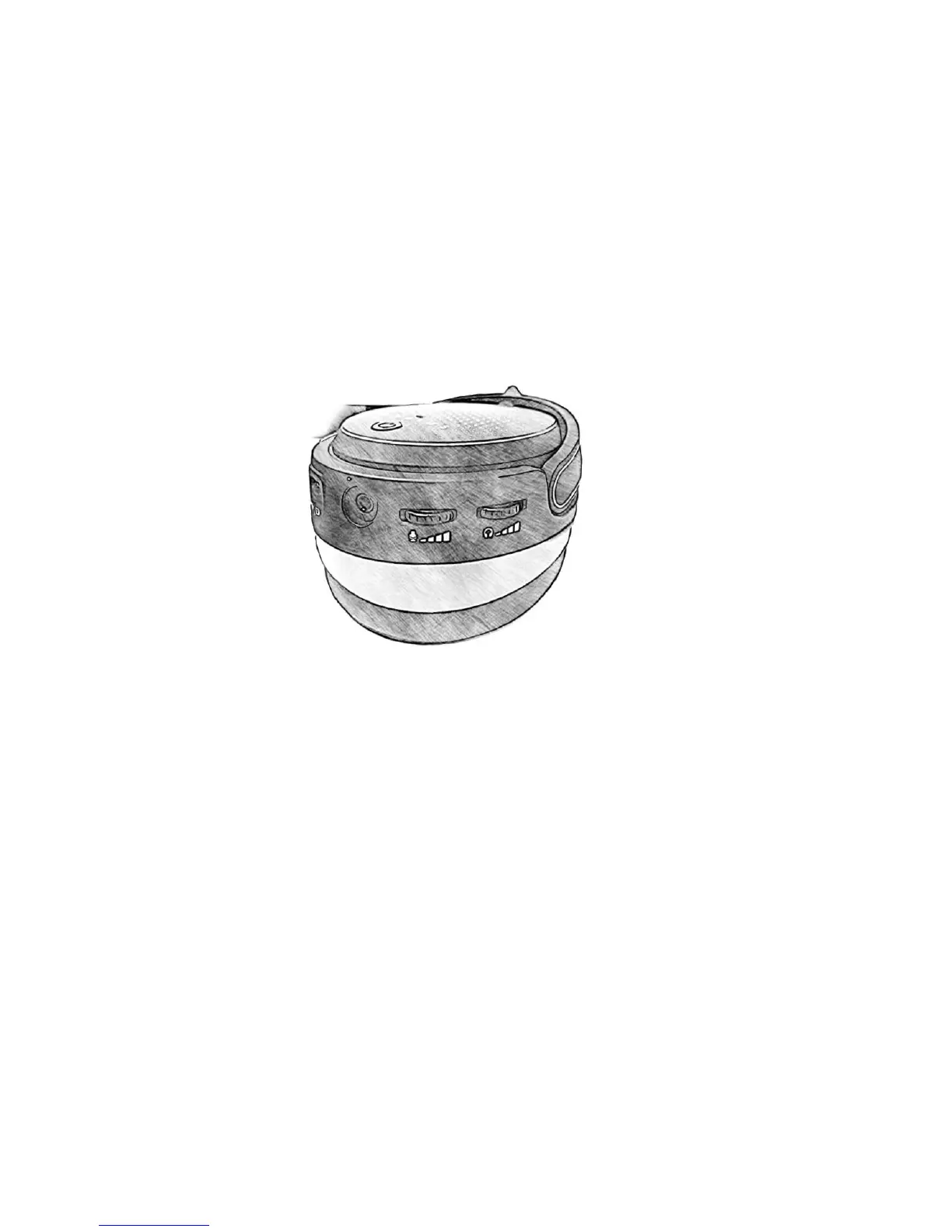
will optimize your performance and handling of Mobius. On the back of the side of the left ear-cup are both
volume controls. Scroll the top wheel both directions. Congrats, you’ve adjusted your volume.
Next, repeat the previous procedure with the bottom wheel by scrolling up and down to adjust your
microphone’s volume. Of course, it helps to have the microphone plugged in. Thus, it’s logical to retrieve
your detachable microphone and plug it into the mic jack on the front of the left ear-cup. Make sure when
connecting the microphone that the flat parts align and that the mic is not muted on the left ear-cup. With
your microphone functional, you’re equipped to communicate with friends, enemies, and dolphins alike.
ADVANCED CONTROLS
It’s time for some advanced tactics. For those brave and experienced, these controls will add further
efficiency in your travels throughout the space of audio. Mobius is the true omni-tool. Use it wisely and
don’t mix up your buttons.
When connected via Bluetooth:
- Perform a short press of the power button to answer/end a call.
- Press and hold the power button for 2 seconds to reject an incoming call. If the distance between your
Mobius and its host device exceeds service range, Mobius will attempt to reconnect automatically
within 1 minute. Alternatively, double-click the volume wheel to link back to the last device.


 To Next Page