EasyManua.ls Logo

Audi A4 2023 - Rearview Camera and Peripheral Cameras

Audi A4 2023
310 pages
Print Icon
To Next Page IconTo Next Page
To Previous Page IconTo Previous Page
Loading...
8101272186
Parking
and
maneuvering
Entertainment
fader
-
The
volume
of
the
audio/
video
source
is
lowered
when
the
parking
aid
is
activated.
The
new
level
is
demonstrated
briefly*
when
the
volume
is
adjusted.
Error
messages
If
PA
appears,
the
sensor
in
the
respective
area
or
the
speaker
is
faulty.
Drive
immediately
to
an
authorized
Audi
dealer
or
authorized
Audi
Service
Facility
to
have
the
malfunction
repaired.
tf
i
or
Hilis
displayed
when
there
is
a
malfunc-
tion,
the
parking
aid
functions
may
be
unavaila-
ble or
may
be
limited.
A
message
that
indicates
the
cause
and
possible
solution
may
appear
with
some
displays.
The
weather
conditions
may
be
too
poor
or
a
sensor
may
be
covered.
Clean
the
area
in
front
of
the
sensors
®
page
122 and
try
to
turn
on
the
sys-
tems
again
later.
If
the
malfunction
remains,
drive
to
an
author-
ized
Audi
dealer
or
authorized
Audi
Service
Facili-
ty
immediately
to
have
the
malfunction
correct-
ed.
Observe
the
safety
precautions
and
note
the
limits
of
the
assist
systems,
sensors,
and
cameras
page
120.
Sensors
and
cameras
have
spots
in
which
the
surrounding
area
cannot
be
detected.
Objects,
animals,
and
people
may
only
be
detected
with
limitations
may
not
be
detect-
ed
at
all.
Always
monitor
the
traffic
and
the
vehicle's
surroundings
directly
and
do
not
become
distracted.
Keep
enough
distance
from
the
curb
to
avoid
damage
to
the
rims.
Applies
to:
vehicles
with park
assist:
If
you
park
in
short
parking
spaces
using
park
as-
sist,
a
continuous
tone
will
sound
from
the
parking
aid
when
the
distance
to
an
object
is
less
than
approximately
0.7
feet
(0.20
m).
Do not
continue
driving
farther.
The
segments
in
the
side
area*
are
detected
and
analyzed
when
passing.
If
you
switch
the ignition
off
and
on
again
or
open
the
door,
or
if
the
vehicle
is
stationary
for
a
peri-
od
of
time,
the
surrounding
area
may
have
changed
in
the
meantime.
In
this
case,
the
area
will
appear
black
until
the area
has
been
detected
and
evaluated.
~
If
the
distance
to
an
obstacle
remains
con-
stant,
the
volume
of
the
distance
warning
gradually
lowers
after
a
few
seconds
until
it
is
muted
(this
does
not
apply
to
the
continu-
ous
tone).
If
the
obstacle
comes
closer
than
it
was
before
the
sound
was
muted,
the
tone
will
sound
again.
If
the
obstacle
be-
comes
farther
away
than
it
was
before
the
sound
was
muted,
no
tone
will
sound.
Pay
attention
to
the vehicle's
surroundings
when
you
start
to
drive.
Rearview
camera
and
peripheral
cameras
Introduction
Applies
to:
vehicles
with
rearview
camera/peripheral
cameras
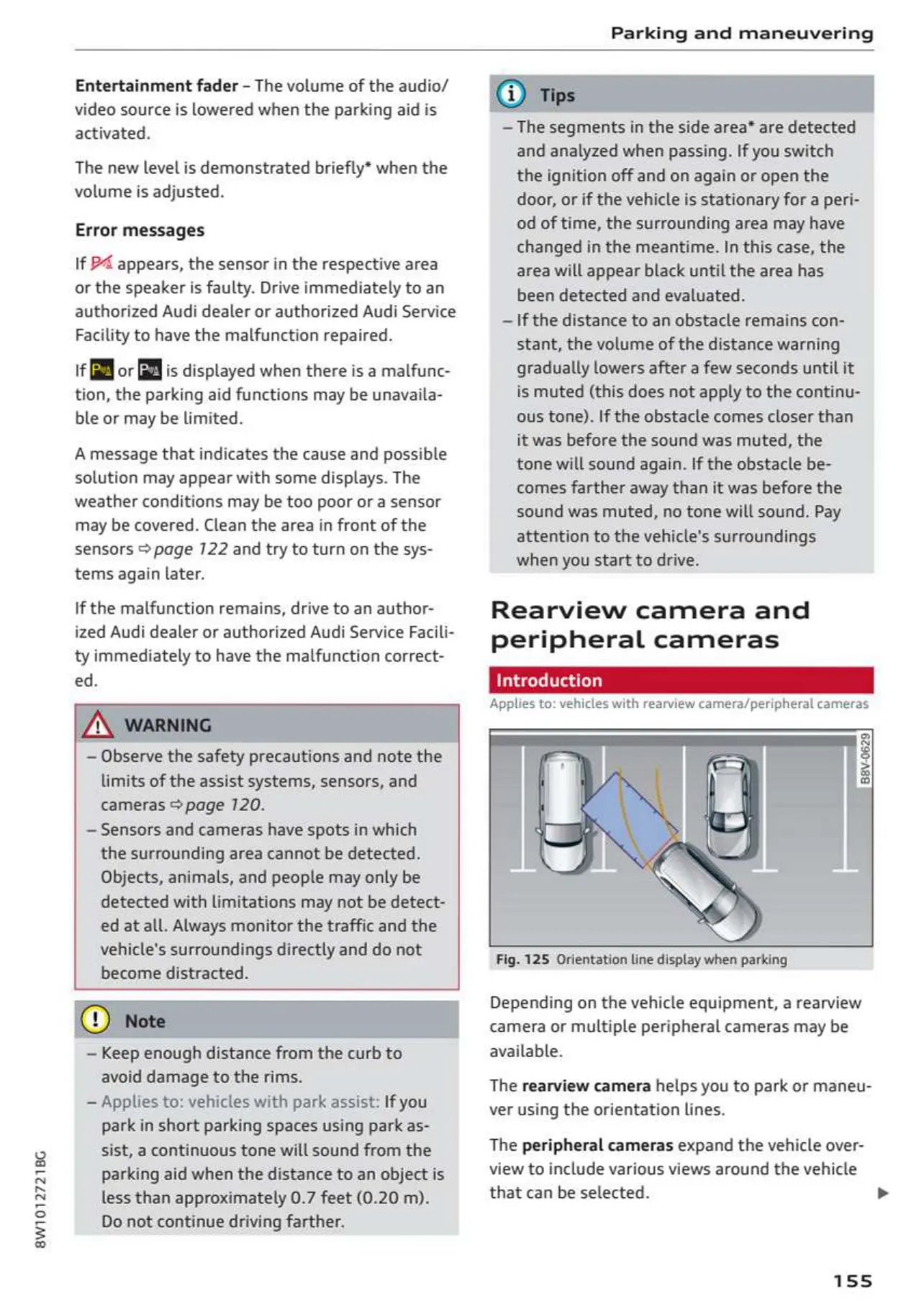
Fig.
125
Orientation
line
display when
parking
Depending
on
the
vehicle
equipment,
a
rearview
camera
or
multiple
peripheral
cameras
may
be
available.
The
rearview
camera
helps
you
to
park
or
maneu-
ver
using
the
orientation
lines.
The
peripheral
cameras
expand
the
vehicle
over-
view
to
include various
views
around
the
vehicle
that can
be
selected.
155

Table of Contents