EasyManua.ls Logo

Audi A4 2023 - Page 89

Audi A4 2023
310 pages
Print Icon
To Next Page IconTo Next Page
To Previous Page IconTo Previous Page
Loading...
8W10127218G
Storage
and
convenience
Applies
to:
vehicles
with
folding
center
armrest
Applies
to:
vehicles
with
partition
net
Applies
to:
sedan
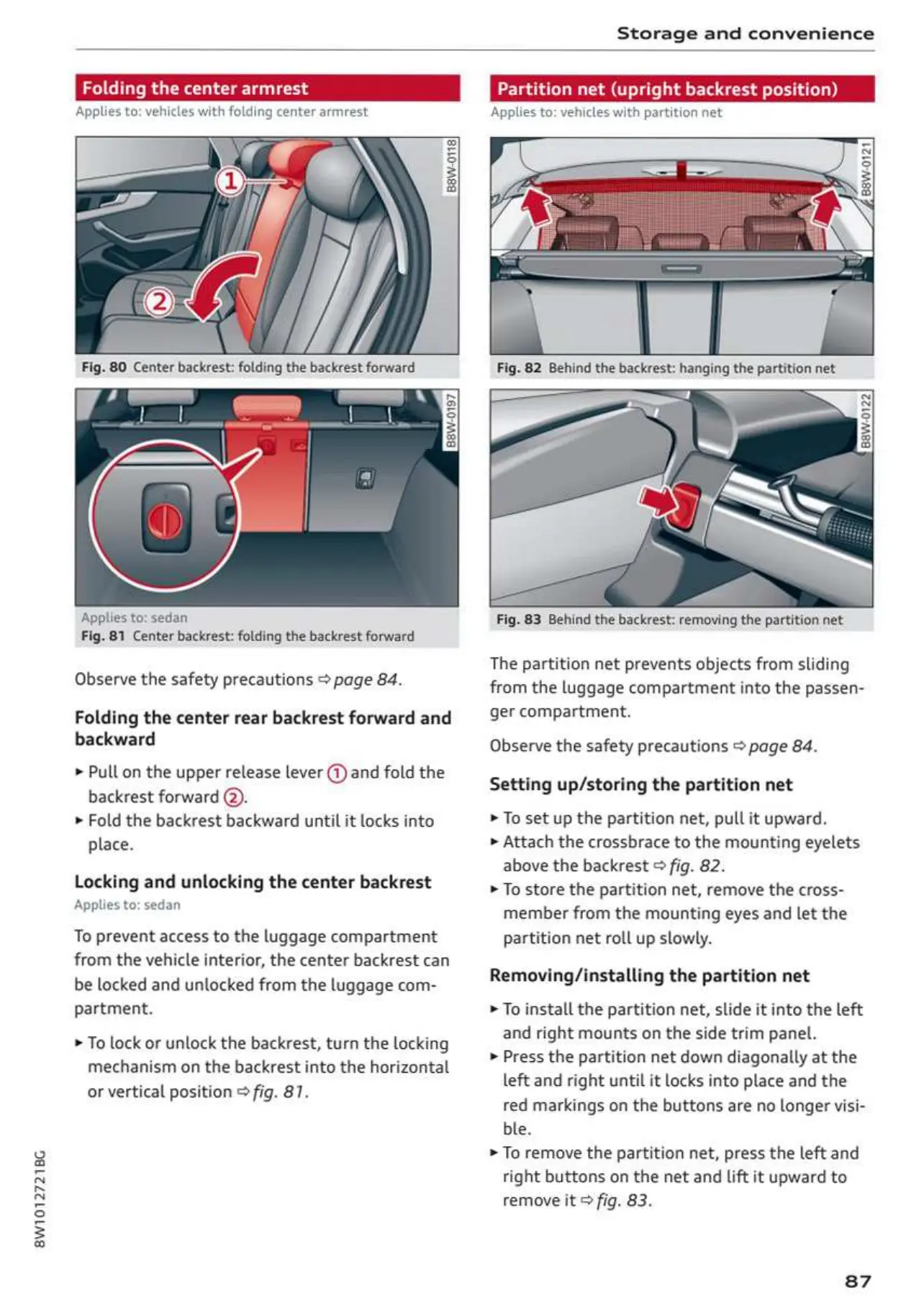
Fig.
81
Center
backrest:
folding
the
backrest
forward
Observe
the
safety
precautions
®
page
84.
Folding
the
center
rear
backrest
forward
and
backward
»
Pull
on
the
upper
release
lever
@
and
fold
the
backrest
forward
@.
»
Fold
the
backrest
backward
until
it
locks
into
place.
Locking
and
unlocking
the
center
backrest
Applies
to:
sedan
To
prevent
access
to
the
luggage
compartment
from
the
vehicle
interior,
the
center
backrest
can
be
locked
and
unlocked
from
the
luggage com-
partment.
»
To
lock
or
unlock
the
backrest,
turn
the
locking
mechanism
on
the
backrest
into
the
horizontal
or
vertical
position
©
fig.
87.
Fig.
82
Behind
the
backrest:
hanging
the
partition
net
Fig.
83
Behind
the
backrest:
removing
the
partition
net
The
partition
net
prevents
objects
from
sliding
from
the
luggage
compartment
into
the
passen-
ger
compartment.
Observe
the
safety
precautions
©
page
84.
Setting
up/storing
the
partition
net
»
To
set
up
the
partition
net,
pull
it
upward.
»
Attach
the
crossbrace
to
the
mounting
eyelets
above
the
backrest
©
fig.
82.
»
To
store
the
partition
net,
remove
the
cross-
member
from
the
mounting
eyes
and
let
the
partition
net
roll
up
slowly.
Removing/installing
the
partition
net
»
To
install
the
partition
net,
slide
it
into
the
left
and
right
mounts
on
the
side
trim
panel.
»
Press
the
partition
net
down
diagonally
at
the
left
and
right
until
it
locks
into
place
and
the
red
markings
on
the
buttons
are
no
longer
visi-
ble.
»
To
remove
the
partition
net,
press
the
left
and
right
buttons
on
the
net
and
Lift
it
upward
to
remove
it
fig.
83.
87

Table of Contents

Related product manuals