3 s
Tune-in SpotifyTidal
1 2 3 4 5
AUX LINEWIFI BT
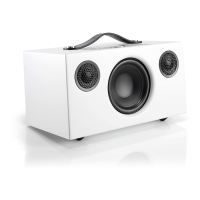
1. PÅ HÖGTALAREN ON THE SPEAKER AM LAUTSPRECHER OP DE SPREKER
2. I APPEN IN THE APP IN DER APP IN DE APP
Spela innehåll via app. Håll ned en preset-knapp i
ca 3 sek tills ljud hörs. Klart!
Play content in the app. Press the preset button for
approx. 3 s until sound is heard. Done!
Geben Sie Inhalte in der App wieder. Halten Sie die
Schaltfläche Voreinstellungen für etwa 3 Sekunden
gedrückt, bis Sie den Sound hören können. Das war
schon alles!
Speel inhoud af in de app. Houd de voorinstellingsknop
ongeveer 3 seconden ingedrukt totdat een signaal wordt
afgespeeld.
När du använder olika tjänster i appen, tryck på
högtalarikonen.
When in the app using the various services, press the
speaker icon.
Wenn Sie in der App sind und diverse Dienste verwenden,
drücken Sie das Lautsprechersymbol.
Druk in de app op het pictogram met de luidspreker
wanneer u een van de verschillende diensten gebruikt.
GÖRA EN PRESET
STORE A PRESET EINE VOREINSTELLUNG FESTLEGEN EEN VOORINSTELLING MAKEN


 To Next Page