12
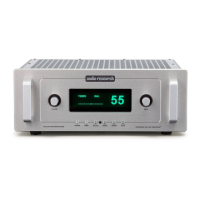
Front Panel Controls
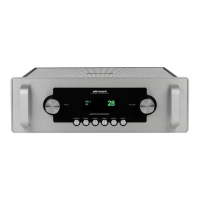
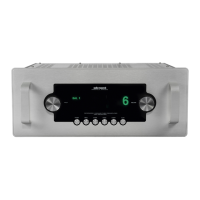
The Reference 6 has two microprocessor-
driven rotary controls and six buttons
(Power, Menu, Enter, Mono, Invert, and
Mute).
Left Rotary control (Input Select)
Select input by rotating the control to the
left or right. The screen displays the current
input on the left side of the display.
Right Rotary control (Volume)
Adjust volume (output level) up or down
for both L and R channels. Volume control
is also selectable via VOL UP and VOL DN
buttons on the remote control. Volume
adjustment is indicated in the display
window by numeric digits on 0–103 scale.
Do not turn volume up beyond normal
listening levels when ‘mute’ is engaged to
avoid unexpected or possibly damaging
sound levels. Reduce volume level
whenever changing input sources, even
when muted.
The right rotary control also functions to
change settings when in the menu.
Power On/O
Supplies power from A.C. wall outlet
to preamp; indicated by active display
window. The Reference 6 requires
approximately 45 seconds to warm up; this
time is required to stabilize the vacuum
tubes. See ‘Start-Up Procedure’ on page 11
for details.
Menu
The menu button enters the setup menu
of the Reference 6 to allow customizing
certain settings of the preamplier. See
page 15 for further details about using the
setup menu.
Enter
The enter button is used in conjunction with
the Menu button to make changes to the
systems settings of the Reference 6.
Mono
Toggle between Stereo and Mono output.
Invert
The invert button allows the absolute phase
of the recording to be switched between
‘normal’ (in-phase) and ‘invert’ (180°
inversion).
Mute
When activated, Mute electrically disables
all outputs of the preamplier; indicated
by ‘MUTE’ in display window, beneath the
volume number. This control should be
activated before switching inputs, changing
connections or shutting down your audio
system to help protect your amplier and
speakers from unexpected signal pulses.
When deactivated, ‘MUTE’ is cleared
from the display window allowing normal
operation.
Operation



 To Next Page