16
Processor Mode
The Reference 6 has the ability to assign
unity gain (also called ‘pass through’) to
one of the eight inputs available in the
event it will be integrated into a system
with a secondary control device, such as a
surround sound processor. When an input
is assigned as the processor input, the
volume control on the Reference 6
is disabled so that the processor’s
volume is the only control used.
To set up a processor input, connect the
left and right output channels from
your surround sound processor to the
left and right inputs of your choice
on the Reference 6. Press the ‘MENU’
button until ‘PROCESSOR MODE’
is displayed, and press ‘ENTER’.
With ‘PROCESSOR’ displayed, turn the
volume knob, or use the up/down
volume buttons on the remote, to select
the desired input for processor mode.
Press the ‘ENTER’ button to select
the input, and ‘ENTER’ once again to
conrm the selection. The Reference
6 will display ‘OKAY’ and show the
selected input on the bottom line.
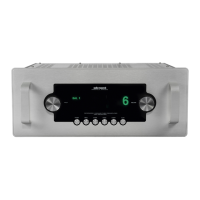
When using the input selected for processor
mode, note that in place of the volume
number on the operation screen, a
‘pass through’ symbol will be shown.
Warning
When processor mode is assigned to an
input, do NOT connect a source (such as
a CD player or phono stage) to that input.
This will send full output from the source
to your amplier(s), and could cause
serious damage to your loudspeakers or
amplier(s) - not to mention your ears!
Operation
Tube Hours
The tube hours display shows the
accumulated time the Reference 6 has been
powered on. This is useful for determining
the number of usage hours of the installed
vacuum tubes. See A Note about Vacuum
Tubes on page 7 for specic information
regarding the tubes in the Reference 6.
To reset the tube hours counter, press
the ‘MENU’ button until ‘TUBE HOURS’
is shown. Press the ‘ENTER’ button to
display ‘ENTER TO RESET’. Press ‘ENTER’
again and the display will read ‘ENTER TO
CONFIRM’. A nal press of the ‘ENTER’
button will reset the tube hour counter
to 0 and the display will show ‘OKAY’.
Note
Once the hour counter has been
reset, the total accumulated
hours cannot be recalled.



 To Next Page