page 1 – 3
AIR 1 / Dec 2007
INSTALLATION AND POWER
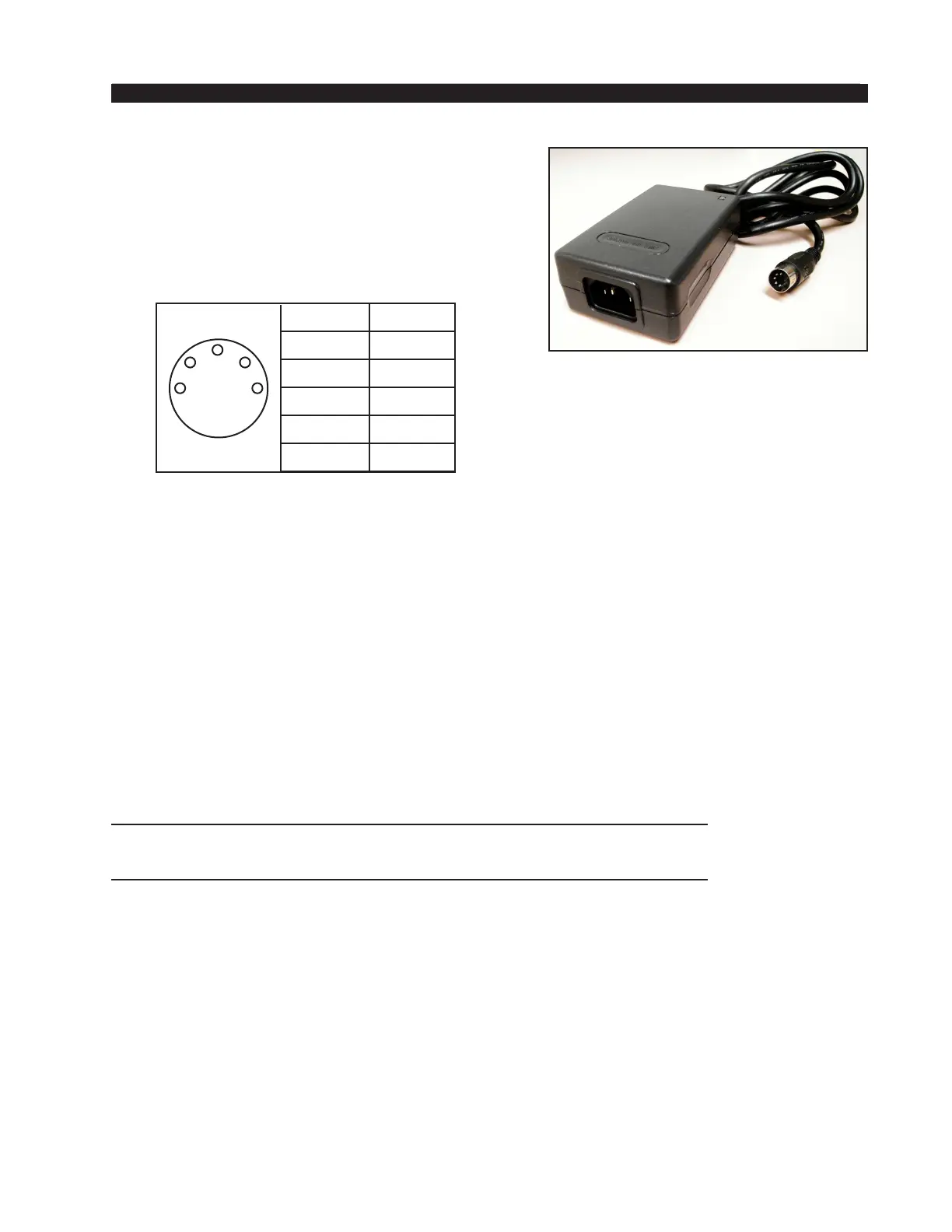
Power Supply
The AIR 1 console is powered by a factory sup-
plied power adapter with 100-240V/50-60Hz input,
25W maximum output power, and a 4 foot long
output cable.
DC Power Output Pinout
The power supply adapter is supplied with a 3-wire grounded AC cord
that should be plugged into a “clean” AC power source, that is, an AC
source that feeds only the control room audio gear. This source should
be a separate feed from those powering lighting, air-conditioning, or any
other non-audio machinery.
Energizing
Assuming the AIR 1 console mainframe is properly placed, and its
power supply correctly connected to the console, you may now energize
the power supply adapter by plugging it into the AC mains. The console’s
switches will assume factory default settings.
Note: To de-energize the console, unplug the power supply adapter’s AC
cord from the AC mains. Never de-energize the console by disconnecting
the cable that connects the console and power supply adapter together.
The power feed recom-
mended in the text is often
installed and referred to in
studios as an “isolated AC
ground” outlet. It is usually
orange in color.
PIN # OUTPUT
1 COM
2 COM
3 +5VDC
4 -15V
5 +15V
3
5
2
4
1
AIR 1 / Dec 2007
AIR 1 / Mar 2010
Once you have veried proper power-up, unplug the rackmount power
supply to de-energize the control surface. You may now proceed to wire
up audio and control connections



 To Next Page