In-Dash
tm
THREE.1
Owner’s Enjoyment Manual
9
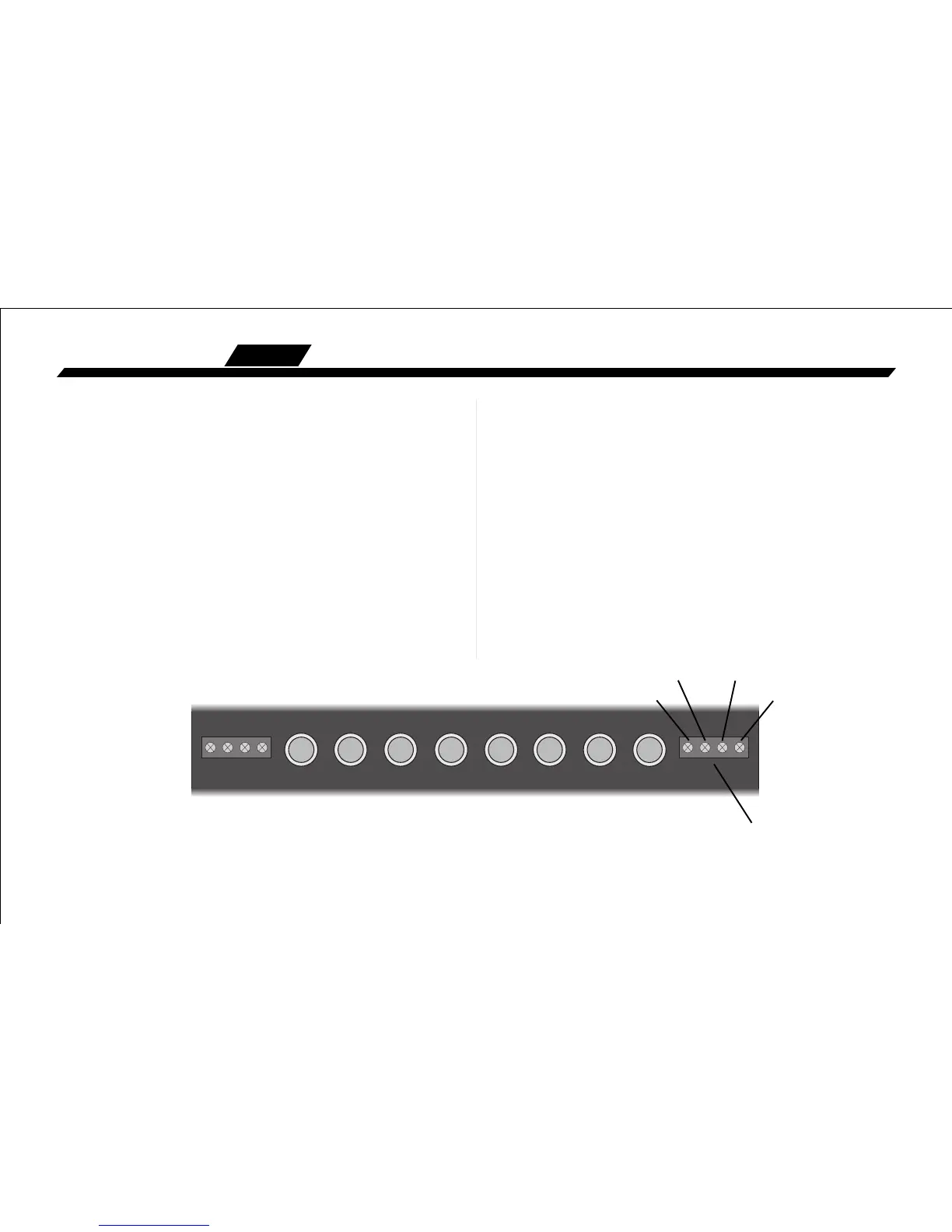
Figure 5: Rear View of the THREE.1
B. THREE.1 Power Wiring
• ENLIGHTENING INFO • Disconnect the negative
terminal of your car’s battery before working on any electri-
cal connections. Failure to do so could lead to a dramatic
spark in your life.
Remote Turn-On: Connect a 22 to 18 gauge wire
from the head-unit’s remote turn-on to the “Remote”
connector on the THREE.1.
Positive(+12V) Connection: Insert an 18 gauge or
larger wire into the connector labeled “Power” on the nifty
connector of your THREE.1. Connect it to a good constant
fused source of 12 volts (we suggest the battery.)
Ground Connection: Use the same gauge wire as you
did for the positive connector and run it from the “Ground”
connector on the THREE.1 to the negative terminal of the
battery, a ground buss, or a verified ground location. The
factory head unit ground is not recommended.
Illumination: The connector labeled “Illumination”
on your THREE.1 provides power to the backlighting of your
unit. Connecting it to a switched 12 volt source, such as the
“Remote” will light up the backlighting of your THREE.1. A
really cool idea is to connect the illumination wire to a
factory dash light dimmer and have the ability to dim the
backlighting of the THREE.1 with your dash lights.
Power
Remote
Ground
Illumination
Power Connector



 To Next Page