Need help?
Do you have a question about the Audiolab 6000N Play and is the answer not in the manual?
Critical safety instructions, warnings about electric shock, and operational precautions.
Explains the meaning of different LED states for device status.
Explains standby modes, Wi-Fi LED indicators, and Wi-Fi setup button functions.
Step-by-step guide for connecting to Wi-Fi using the Play-Fi app on different mobile platforms.
Instructions for configuring Wi-Fi using a web browser on Windows or macOS.
Details the warranty period, requirements, and exclusions for the product.
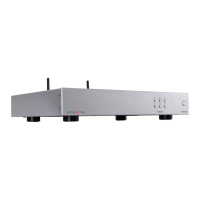
Lists technical data including digital/analogue outputs, power, dimensions, and weight.
 General
| Ethernet | Yes |
|---|---|
| Remote Control | Yes |
| Type | Network Streamer |
| Streaming Services | Tidal, Spotify, Deezer, Qobuz, Internet Radio |
| Wireless | Wi-Fi (2.4GHz/5GHz) |
| Digital Outputs | Coaxial, Optical |
| Analogue Outputs | RCA |
| File Formats | AAC, AIFF, ALAC, FLAC, MP3, WMA |
| Power Supply | 100-240V, 50/60Hz |
| DAC | ESS Sabre32 ES9018K2M |

 To Next Page