FIND ALBUM
FIND ALBUM
ALBUM NUMBER
ALBUM NUMBER
NAME OF ALBUM
NAME OF ALBUM
THIS WILL DIAPPEAR
AFTER 2 SECONDS
FIND ALBUM
ALBUM NAME
(WHICH YOU - WANT TO OPEN)
NAME OF 1
ST
SONG IN
THE SELECTED ALBUM
SONGNUMBER (WITHIN
THIS SELECTED ALBUM
ALBUM NUMBER
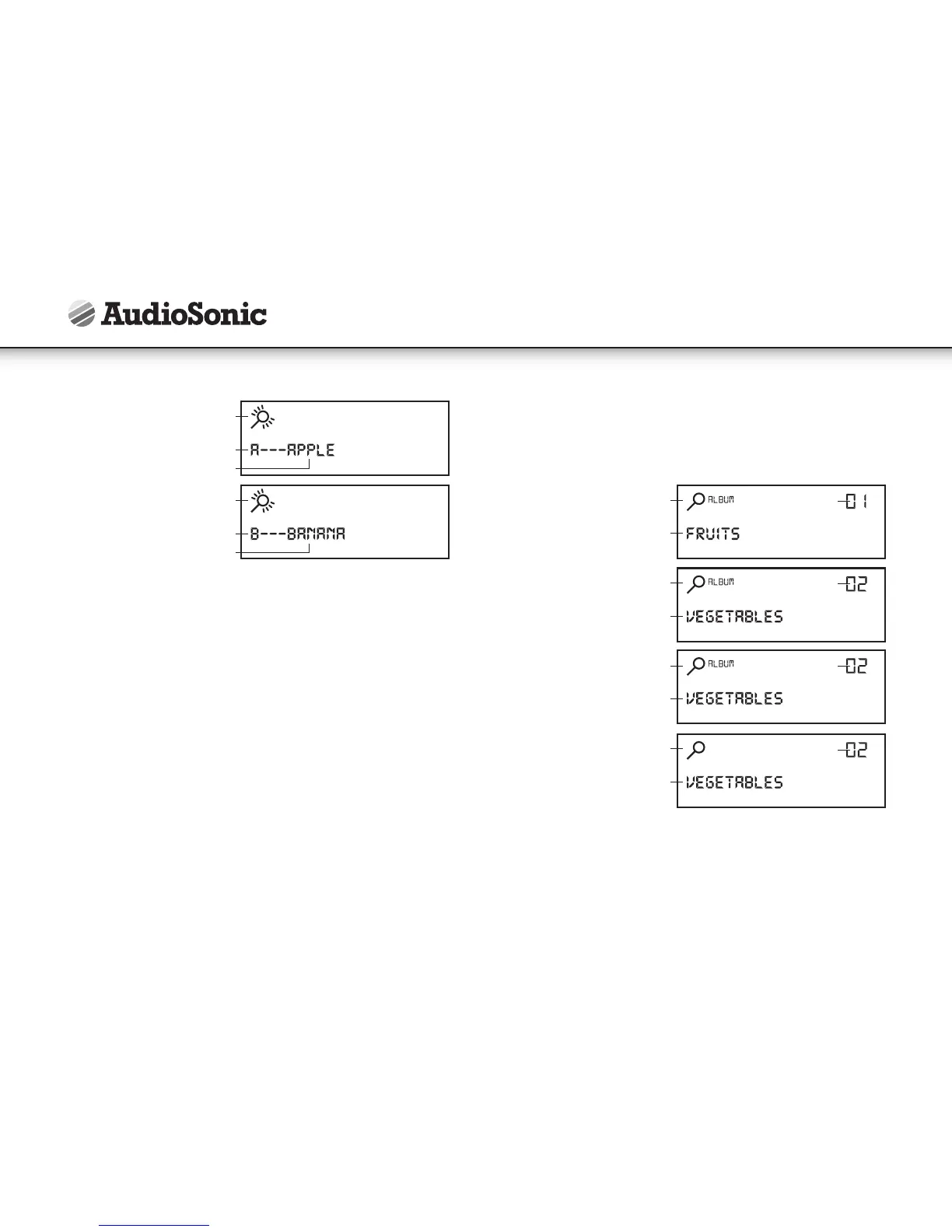
FIND SYMBOL
FIND SYMBOL
SEARCH ALPHABET
SEARCH ALPHABET
NAME OF SONG (MP3 FILE )
NAME OF SONG (MP3 FILE )
12
• Once the "find" symbol stops flashing, press the next key to display the next song
starting with same alphabet. repeat until desired song is located.
• At anytime, when you have located a desired song (as shown on screen) just press
"play" to listen to it.
• To exit the "find" mode press the find key twice until the "find" symbol disappears
from the display.
FINDING SEARCHING MP3 SONGS BY ALBUM FOLDER
FOR CDMP3, USBDRIVE & SDCARD
• MP3 files (songs) can be organized into folders (directories) when you record them on
to acd-r disc. each folder is called an "album"and you can (for example) organize your
albums on a disc so that each album contains songs by a particular artist, or alternatively,
by a different genre or type. you can organize songs & albums in any way you wish so that
you can locate & play back those songs with greater ease & convenience.
• To search for songs within a particular album:
• for usb-drive & sd-card: press the find key once
• for cd-mp3: press the find key twice
• The "find" & "album" symbols will activate in the display, together with the
number "1". this is the "album number" (it indicates the number of the folder on
the disc).
• Press next or back to advance the album number ( ). the name of each album
(the directory name) will appear in the lower part of the display for each selected
album number.
Example:
• When the desired album name appears on screen, "press & hold" the next key (for
2 seconds) until the "album"symbol disappears. this will open the selected album
& allows you to display all the songs contained inside that album so that you can
selectthe desired song by using the next key & play it by using the "play" key.
• To exit the "find" mode press the find key once until the "find" symbol disappears
from the display.
Instruction Manual



 To Next Page