EasyManua.ls Logo

Audiovox Electronics D1788 - Preference Setup

Default Icon
30 pages
Print Icon
To Next Page IconTo Next Page
To Previous Page IconTo Previous Page
Loading...
13
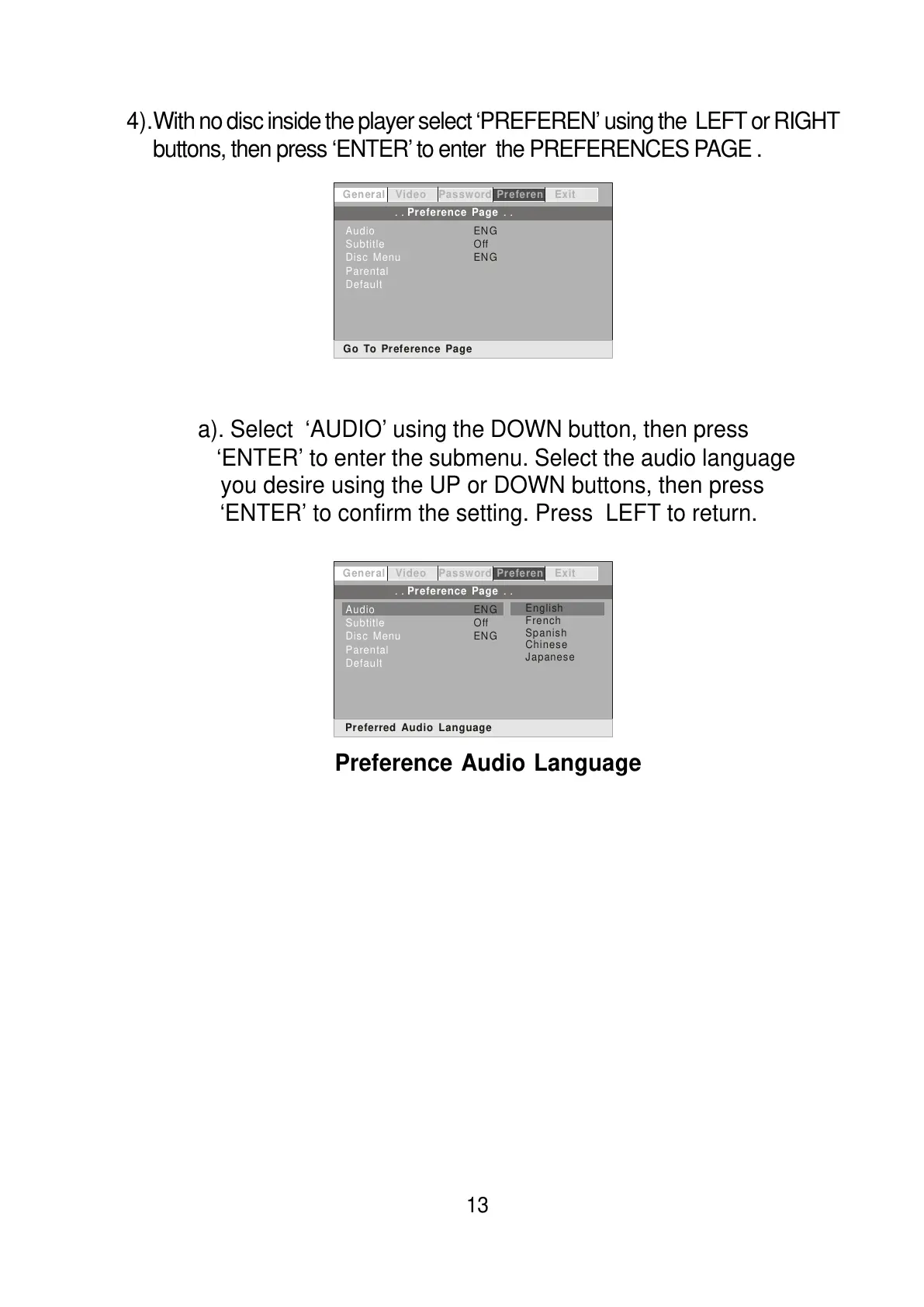
4).With no disc inside the player select ‘PREFEREN’ using the LEFT or RIGHT
buttons, then press ‘ENTER’ to enter the PREFERENCES PAGE .
a). Select ‘AUDIO’ using the DOWN button, then press
‘ENTER’ to enter the submenu. Select the audio language
you desire using the UP or DOWN buttons, then press
‘ENTER’ to confirm the setting. Press LEFT to return.
General Video Password Preferen Exit

A
udio
Subtitle
Disc Menu
Parental
Default
ENG
Off
ENG
Go To Preference Page
.. ..
Preference Page
General Video Password Preferen Exit
.. ..
Preference Page
Audio
Subtitle
Disc Menu
Parental
Default
ENG
Off
ENG
Preferred Audio Language
English
French
Spanish
Chinese
Japanese
Preference Audio Language
All manuals and user guides at all-guides.com