26
N. Connecting to Other Equipment
1. AV Out
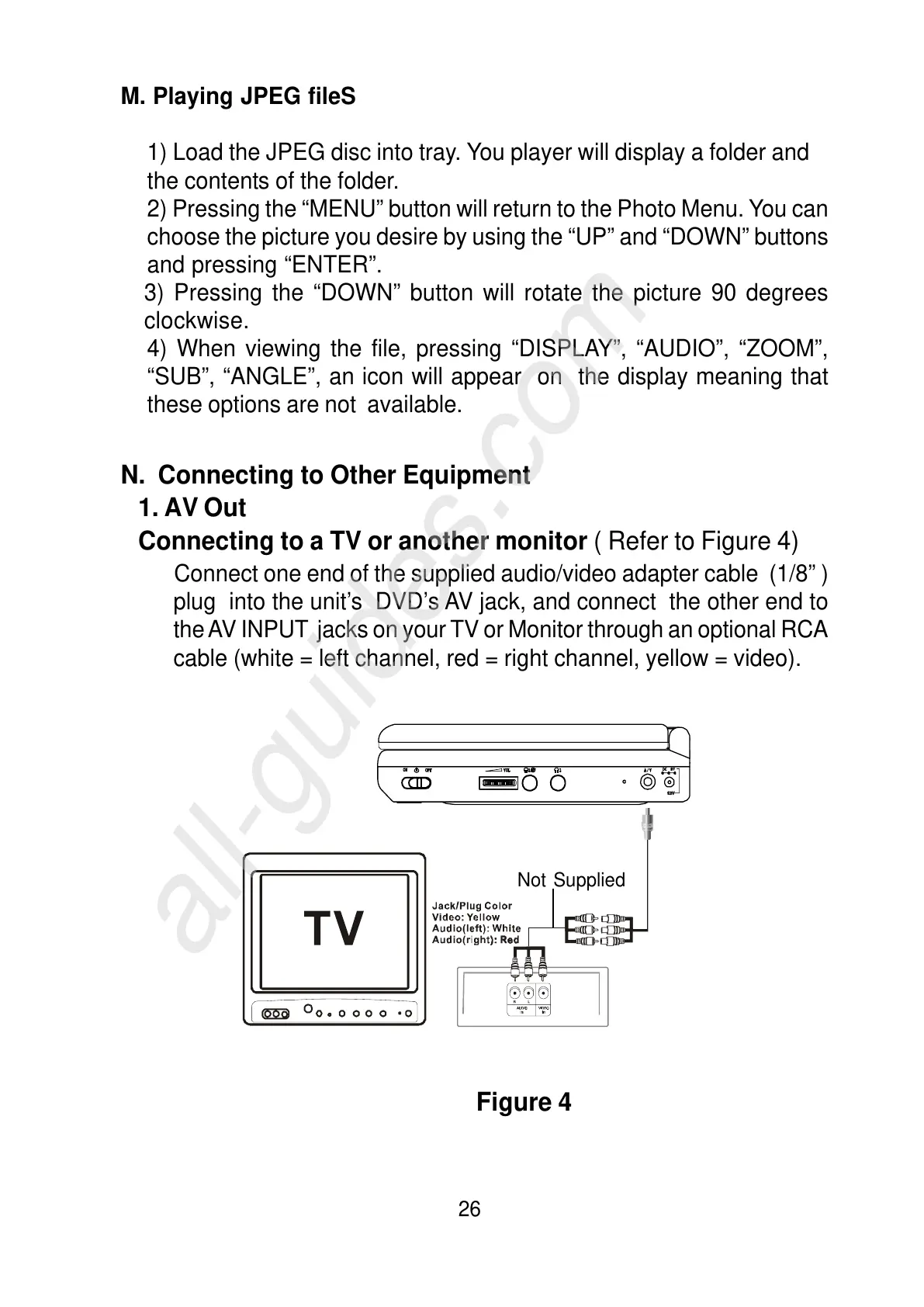
Connecting to a TV or another monitor ( Refer to Figure 4)
Connect one end of the supplied audio/video adapter cable (1/8” )
plug into the unit’s DVD’s AV jack, and connect the other end to
the AV INPUT jacks on your TV or Monitor through an optional RCA
cable (white = left channel, red = right channel, yellow = video).
Figure 4
M. Playing JPEG fileS
1) Load the JPEG disc into tray. You player will display a folder and
the contents of the folder.
2) Pressing the “MENU” button will return to the Photo Menu. You can
choose the picture you desire by using the “UP” and “DOWN” buttons
and pressing “ENTER”.
3) Pressing the “DOWN” button will rotate the picture 90 degrees
clockwise.
4) When viewing the file, pressing “DISPLAY”, “AUDIO”, “ZOOM”,
“SUB”, “ANGLE”, an icon will appear on the display meaning that
these options are not available.
Not Supplied



 To Next Page