EasyManua.ls Logo

Audiovox AOM561 - User Manual

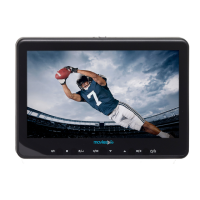
Audiovox AOM561
2 pages
Print Icon
To Next Page IconTo Next Page
Loading...
POWER
BRIGHTNESS
+
1. POWER
Press this button to turn the AOM561on.
2. BRIGHTNESS – / +
Press brightness (–) button to darken the picture.
Press brightness (+) button to brighten the picture.
1 2 2
AOM561
Question and Answer IconNeed help?

Do you have a question about the Audiovox AOM561 and is the answer not in the manual?

Audiovox AOM561 Specifications

General IconGeneral
BrandAudiovox
ModelAOM561
CategoryMonitor
LanguageEnglish

Summary

AOM561 Operation

Power Control

Instructions for turning the AOM561 device on using the POWER button.

Brightness Adjustment

Guide to adjusting screen brightness using the BRIGHTNESS -/+ buttons.

Wiring Diagram

Device Connections

Diagram illustrating connections to power supply and camera, including wire functions.

Related product manuals