
EasyManua.ls Logo

Audiovox AVX10USB - User Manual

Audiovox AVX10USB
27 pages
Print Icon
To Next Page IconTo Next Page
Loading...
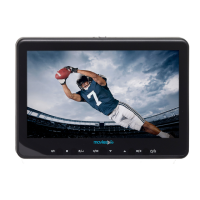
AVX10USB
10.1 Inch
LCD Monitor WithBuilt In DVD Player
For Rear Seat Entertainment
Installation And Operation Manual

Questions and Answers

Audiovox AVX10USB Specifications

General IconGeneral
BrandAudiovox
ModelAVX10USB
CategoryMonitor
LanguageEnglish

Summary

Safety Precautions and General Warnings

Safety Precautions

Important safety advice for using the system in a vehicle.

General Warnings

Critical warnings regarding cleaning, volume, and screen handling for safe operation.

Product Features and Technical Specifications

Key Product Features

Lists the main capabilities and components of the AVX10USB monitor.

Technical Specifications

Details technical data like resolution, temperature, power, and dimensions.

Package Contents and System Components

Included System Components

Lists all items included in the package with the AVX10USB system.

Docking Bracket Installation Guide

Mounting the Docking Bracket

Step-by-step instructions for installing the docking bracket onto the vehicle's headrest poles.

Wiring Diagram

Unit Controls and Indicators Diagram

Front Panel Controls and Indicators

Identifies and explains the function of buttons and indicators on the front of the unit.

Unit Controls and Indicators Diagram (Continued)

Additional Unit Controls and Inputs

Details the remaining controls, inputs like HDMI, USB, AUX, and earphone jack.

Remote Control Operation

Battery Replacement

Instructions for replacing the batteries in the remote control.

Remote Control Function Layout

Remote Control Functions (Part 1)

Basic Remote Functions (Power, Source, Playback)

Explains core remote buttons like Power, Source, Play, Pause, and menu navigation.

Remote Control Functions (Part 2)

Playback and Navigation Controls

Covers functions for scanning, skipping tracks, repeat, A-B repeat, subtitle, and zoom.

Remote Control Functions (Part 3)

Advanced Remote Functions (FM, Picture, Volume)

Details functions for FM modulation, picture settings, volume, mute, and monitor selection.

Source Menu Navigation

Selecting Input Sources (DVD, USB, CARD, AV)

Guides on how to choose and use different audio/video input sources.

Source Menu Navigation (Continued)

Connecting AUX and HDMI Sources

Explains how to connect and use AUX and HDMI external devices.

System Menu Settings and Adjustments

Picture, Audio, and IRT Settings

Covers picture control, audio mode selection, and IR transmitter settings.

Language and Default DVD Settings

Allows setting the on-screen language and the default source upon startup.

System Menu Settings and Adjustments (Continued)

Monitor Mode and System Reset

Explains how to set monitor modes and reset system preferences to factory defaults.

System Menu Settings and Adjustments (Continued)

Player, TV System, and Screen Saver

Covers player mode, TV system standards, and screen saver configuration.

Aspect Ratio Settings

Details how to set the aspect ratio for DVD screen display.

System Menu Settings and Adjustments (Continued)

Password Setup and Parental Controls

Guides on setting passwords for parental controls and accessing rating settings.

Last Memory Functionality

Explains how to enable or disable the feature that resumes playback from the last stop point.

System Menu Settings and Adjustments (Continued)

Audio, Subtitle, and Menu Language

Allows selection of preferred audio, subtitle, and menu languages for discs.

System Menu Settings and Adjustments (Continued)

FM Modulation and Channel Selection

Covers turning the FM modulator on/off and selecting broadcast frequencies.

Playing Discs and USB Media

Playing DVDs and Audio CDs

Instructions for loading and playing DVD and Audio CD discs.

Using the Repeat Feature

Explains the different repeat modes available for audio playback.

Playing Discs and USB Media (Continued)

Playing Media from USB Devices

Details how to connect and play audio, photo, and video files from a USB drive.

Playing MP3 Discs

Guides on playing MP3 discs and navigating through folders and songs.

DVD Basics and Region Codes

Understanding DVD Region Codes

Explains the DVD player's region code and compatibility with discs from different regions.

Troubleshooting Common Issues

Remote and Disc Playback Troubleshooting

Solutions for issues like inoperative remote, disc not playing, or playback stopping.

Audio, Video, and Display Troubleshooting

Troubleshooting steps for sound problems, movie advancement, icon display, and picture distortion.

FCC Compliance Information

Related product manuals
