2.9
Emergency Video (from Special/ Panic Recording)
To
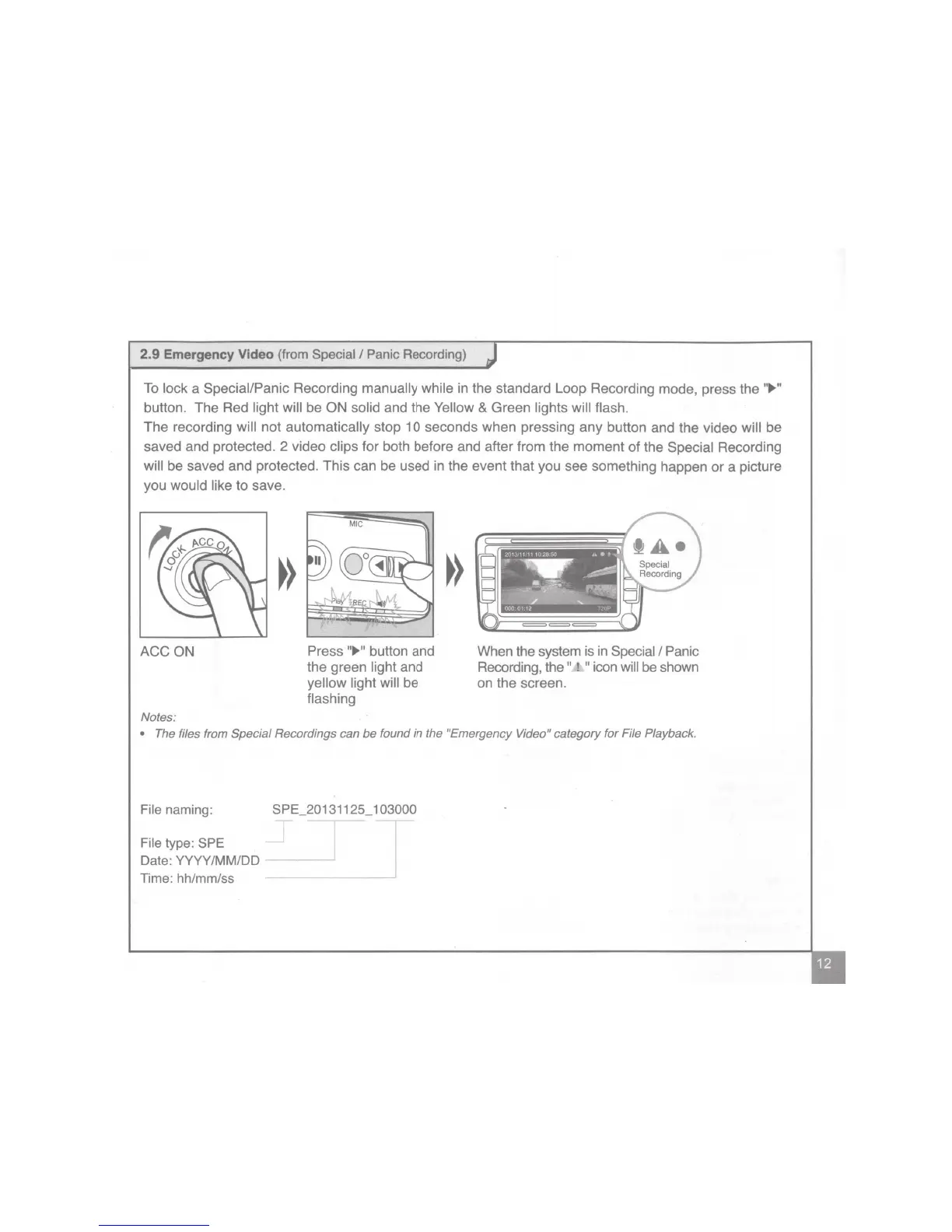
lock a Special/Panic Recording manually while in the standard Loop Recording mode, press the
..
.,.
..
button. The Red light will be ON solid and the Yellow & Green lights will flash.
The recording will not automatically stop 10 seconds when pressing any button and the video will be
saved and protected. 2 video clips for both before and after from the moment
of
the Special Recording
will be saved and protected. This can be used in the event that you see something happen
or
a picture
you would like to save.
ACCON
Notes:
Press
11
.,.
11
button and
the green light and
yellow light will be
flashing
When the system is
in
Special I Panic
Recording, the
11
t
11
icon will be shown
on the screen.
• The files from Special Recordings can
be
found
in
the "Emergency Video" category for File Playback.
File naming:
File
type: SPE
Date: YYYY/MM/00
Time: hh/mm/ss
SPE_20131125_103000


 To Next Page
 Loading...