Need help?
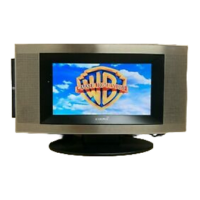
Do you have a question about the Audiovox FPE3207DV - 32" LCD TV and is the answer not in the manual?
Guidance on optimal placement to ensure safe operation and airflow.
General warnings and precautions for electrical safety and product use.
Steps to take if condensation forms inside the unit.
Compliance information for radio frequency interference.
Instructions for cleaning the unit and handling discs.
Explanation of common symbols found on DVD discs.
Understanding the organizational structure of DVD and CD content.
Details on DVD region codes and unit compatibility.
How to operate the TV using the provided remote control.
Instructions for inserting batteries into the remote control.
Guidance on replacing weak remote control batteries.
Detailed descriptions of buttons 1-16 on the remote control.
Detailed descriptions of buttons 17-29 on the remote control.
Identification of controls on the front and side of the unit.
Identification of connection ports on the rear of the unit.
How to connect broadcast reception sources to the TV.
Connecting external audio/video equipment like VCRs or cable boxes.
Linking devices using RCA composite video and audio connections.
Connecting HD devices via component input and computers via VGA.
Using HDMI for digital connections and connecting external audio systems.
Connecting the AC power cord and using headphones.
Steps for safely detaching the TV's base stand.
Instructions for wall-mounting the television using a VESA kit.
Procedure for powering the television on and selecting modes.
Explanation of Dolby Digital sound technology for DVDs.
Adjusting picture properties like brightness, contrast, saturation, and tint.
Configuring sound options like balance, bass, treble, and virtual surround.
Tuner mode, auto scan, channel skip, MTS, and audio language settings.
Configuring OSD language, time, caption style, and restore settings.
Customizing analog and digital closed caption display.
Accessing parental controls and setting a password.
Detailed guide to rating systems (US, Canadian) and blocking content.
How to play, pause, stop, and skip tracks on DVDs and CDs.
Loading and viewing JPEG files from discs.
Methods for pausing, resuming, and stopping disc playback.
Using fast forward/reverse, slow motion, and angle selection.
Choosing audio tracks and subtitle languages for DVDs.
Showing disc title, chapter, time, audio, and subtitle status.
Navigating to specific titles, chapters, or time points on a DVD.
Playing specific DVD chapters or entire titles repeatedly.
Playing single CD tracks or entire discs multiple times.
Repeating a specific segment of a disc by marking start and end points.
Creating custom playback sequences for DVDs and CDs using memory.
Configuring OSD language and adjusting picture settings.
Adjusting system defaults and screen aspect ratio (Pan Scan, Letter Box).
Resolving problems with unit power, remote control function, and batteries.
Troubleshooting disc playback errors, picture clarity, noise, and no picture.
Fixing TV signal reception, color display, and sound output problems.
 General
| Brand | Audiovox |
|---|---|
| Model | FPE3207DV - 32" LCD TV |
| Category | TV DVD Combo |
| Language | English |

 To Next Page