Need help?
Do you have a question about the Audiovox VE 927 and is the answer not in the manual?
When connecting or disconnecting the AC power cord, grip the plug and not the cord itself. Pulling the cord may damage it.
Details compliance with FCC rules, operation subject to conditions, and measures to correct interference.
Instructions for connecting a TV antenna, CATV cable, or Satellite system to the unit.
How to connect the unit to a TV or other video equipment using audio/video cables.
Guide for connecting the unit to a stereo receiver or amplifier via analog audio cables.
Ensures correct voltage match and proper insertion of the AC power plug into the wall outlet.
How to pause the disc playback and resume it, including frame-by-frame advancement.
Instructions on how to stop playback and resume from the stopped or beginning point.
Adjusts OSD, Subtitle, Audio, and DVD Menu languages for user preference.
Procedures for manual channel search and selecting channels for viewing.
Adjusts picture mode, contrast, brightness, sharpness, tint, and color for optimal display.
Sets sound mode, bass, treble, balance, and audio language for audio output.
Covers antenna selection, auto scan, channel skip, and editing channel labels.
 General
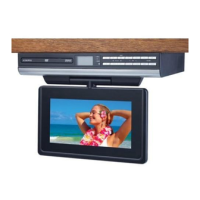
| Brand | Audiovox |
|---|---|
| Model | VE 927 |
| Category | TV DVD Combo |
| Language | English |

 To Next Page