
 Need help?
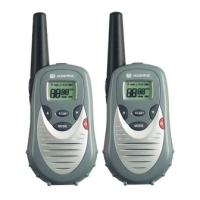
Do you have a question about the Audiovox GMRS7001-2CH and is the answer not in the manual?
Details the necessity of an FCC GMRS license for radio operation in the US.
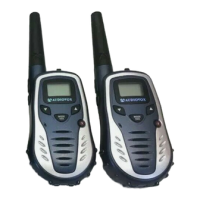
Component for accessing the battery compartment.
Button for checking activity and activating LCD backlight.
Detachable clip for attaching the radio to clothing or gear.
Push-to-Talk button for transmitting voice.
External antenna for radio transmission and reception.
Port for connecting external microphone, speaker, or charger.
Integrated speaker for audio output.
Liquid Crystal Display for showing channel and status information.
Built-in microphone for voice input.
Buttons to adjust volume and change channels.
Button to select modes or access weather functions.
Button for turning the unit on/off and activating keylock.
Button for scan mode activation and VOX function.
Contacts for connecting to a desktop charging stand.
Indicates when the button confirmation tone is active.
Shows when the keypad is locked, disabling certain functions.
Appears when the monitor function is activated to bypass squelch.
Displays the relative strength of a transmitted signal.
Shows the selected transmit power level (High or Low).
Indicates the currently selected channel number.
Shows when the unit is actively scanning channels.
Indicates when the Roger Beep tone is enabled.
Displays the current battery charge level.
BUSY icon appears when a signal is being received.
Indicates when the unit is in Weather Band mode.
Lists the items included with the radio transceiver.
Explains how to power the radio using different battery types.
Describes available battery options, including alkaline and rechargeable.
Step-by-step guide on how to install batteries into the transceiver.
Diagram showing available operational modes for GMRS/FRS and Weather Band.
Instructions for operating the power on/off and keylock functions.
How to increase or decrease the listening volume.
Using the monitor function to check activity and activate the LCD backlight.
How to use the PTT button for transmitting and receiving calls.
Functionality of the Up/Down buttons for channel and volume control.
How to use the Mode button to select features and switch bands.
Information on using the external speaker/microphone/charge jack.
Using the Scan/VOX button to enable/disable scan and VOX modes.
Steps for operating the radio in GMRS/FRS mode.
Guidelines for effective transmission and reception.
Procedure for selecting GMRS/FRS channels for communication.
How to select Continuous Tone Controlled Squelch System sub-channels.
Setting the transmit power to high or low for range or battery life.
Adjusting Voice Activated Transmission (VOX) sensitivity levels.
Setting up and using the Dual Watch mode to monitor two channels.
Detailed operation of the Dual Watch mode.
Enabling or disabling the confirmation tone for key presses.
Enabling or disabling the Roger Beep tone notification.
Selecting one of three user-selectable call ringer melodies.
How to enable and use the channel scan feature.
Function to prevent accidental channel changes.
Enabling hands-free conversation via Voice Activated Transmission.
Selecting channels within the weather band.
Notifies user of unusual weather situations and how to enable alerts.
Indicates when the battery is low and requires charging or replacement.
Guidelines for maximizing performance and clear communication.
Critical safety precautions for using the transceiver.
Troubleshooting steps for when the unit does not transmit.
Causes and solutions for weak or absent signal reception.
Diagnosing why the unit beeps but remains non-functional.
Addressing issues with receiving unintended signals.
Overall technical details including frequency range and dimensions.
Information on power source, voltage, and battery types.
Technical details related to the receiver's performance.
Technical details related to the transmitter's output and performance.
Table listing frequencies for GMRS/FRS and FRS channels.
Table of frequencies for Continuous Tone Coded Squelch System.
Frequencies for NOAA and Canadian Marine weather channels.
Details the terms and conditions of the product's limited warranty.



 To Next Page
 General