EasyManua.ls Logo

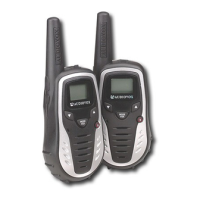
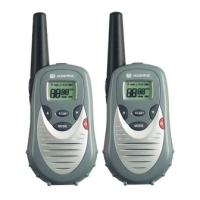
Audiovox GMRS602CH - User Manual

Audiovox GMRS602CH
28 pages
Print Icon
To Next Page IconTo Next Page
Loading...
128-7362
1 of 28
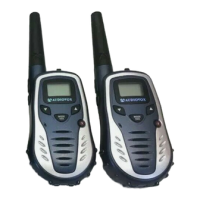
General Mobile Radio Service (GMRS)
Model : GMRS602CH
Twin Pack
Released: 2-18-05
Owner’s Manual
Customer Service
1-800-290-6650
MODE
VOX
S
LOHI

Questions and Answers

  • K
    kevinrichardsonJul 30, 2025
    Why is my Audiovox Radio receiving unwanted signals?
    • S
      sbarnettJul 30, 2025
      Your Audiovox Radio might be picking up unwanted signals because the CTCSS privacy mode is not activated. To resolve this, turn on the CTCSS privacy mode and set the code number to match the setting of the target transceiver. Alternatively, interference from electronic devices like computers or TVs could be the cause. Try turning off these devices or moving farther away from them.
  • K
    Kimberly RichardsAug 6, 2025
    What to do if my Audiovox Radio has a weak or no signal?
    • L
      Linda RivasAug 6, 2025
      If your Audiovox Radio has a weak or no signal, several factors could be the cause. First, ensure that the batteries are adequately charged; if weak, charge or replace them. Second, verify that the channel and privacy code are set the same as the target transceiver and adjust the transceiver’s settings to match those settings of the target transceiver. Also, check that the volume level isn't too low and that the PTT button isn't inadvertently depressed; increase the volume level and release the PTT Button. Finally, excessive radio interference or obstructions might be present; try changing to a different channel and avoid operating in or near large buildings or vehicles.
  • B
    Brenda FisherAug 13, 2025
    What to do if my Audiovox Radio beeps but won't function when turned on?
    • T
      Theodore FlowersAug 13, 2025
      If your Audiovox Radio beeps but doesn't function when turned on, it's likely due to extremely discharged batteries. To fix this, charge or replace the batteries.
  • C
    Chelsea ThompsonAug 22, 2025
    How to fix an Audiovox Radio with no transmission when pressing the PTT Button?
    • M
      Michael EvansAug 22, 2025
      If your Audiovox Radio isn't transmitting when you press the PTT button, it could be due to weak batteries. In this case, charge or replace the batteries. Another possible cause is incorrect battery polarity. To fix this, install the batteries following the directions in paragraph Installing the Batteries.

Summary

Owners Manual

Safety, RF Exposure, and Performance

RF Exposure and Safe Usage

Guidelines for maintaining compliance with FCC RF exposure limits and safe operating distances.

Safety Warnings and GMRS Licensing

FCC Regulations and Licensing

Information on FCC warnings, required GMRS licenses, and how to obtain necessary forms.

LCD Display Indicators and Icons

Display Indicators Explained

Detailed explanation of icons and indicators shown on the Liquid Crystal Display (LCD).

Battery Installation and Management

Battery Installation Procedure

Step-by-step guide on how to properly install AAA batteries into the transceiver.

Operational Modes and Key Controls

Understanding Operational Modes

Explanation of GMRS/FRS modes, channel selection, and power settings.

Transceiver Controls: Volume, Monitor, PTT

Advanced Controls: MODE;VOX, Jack, Scan

GMRS;FRS Operation and Channel Selection

Basic GMRS;FRS Operation

Steps to turn on the unit, select channels, and transmit/receive communication.

Channel Selection and Usage

Details on channel numbers, shared vs. FRS/GMRS-only channels, and checking activity.

Channel and CTCSS Configuration

CTCSS Sub-Channel Selection

How to select CTCSS tones for private communication and the 'oF' setting.

Transmit Power Selection

Selecting High or Low Power

Guide to choosing between high and low transmit power for range and battery life.

Audio Features: Roger Beep and VOX

Advanced Operations: Call Ringer and Scanning

Critical Safety Warnings

Operational and Environmental Restrictions

Warnings regarding licensing, battery removal, water exposure, explosive atmospheres, and air-bag safety.

Troubleshooting Guide

No Transmission or Weak Signal Issues

Solutions for problems with transmitting, receiving weak signals, or unit not functioning.

Technical Specifications Overview

Main Channel Frequency Data

GMRS;FRS Channel Frequencies

List of main channel numbers, types (GMRS/FRS), and their corresponding frequencies in MHz.

CTCSS Tone Frequency Chart

Audiovox GMRS602CH Specifications

General IconGeneral
Channels22
RangeUp to 25 miles
Battery LifeUp to 10 hours
Weather RadioYes
DisplayLCD
Weight7.2 oz
WaterproofNo
Vibrate AlertNo
Headset JackYes
TypeGMRS
Power Output2 Watts
FeaturesRoger Beep, Scan

Related product manuals