E
7
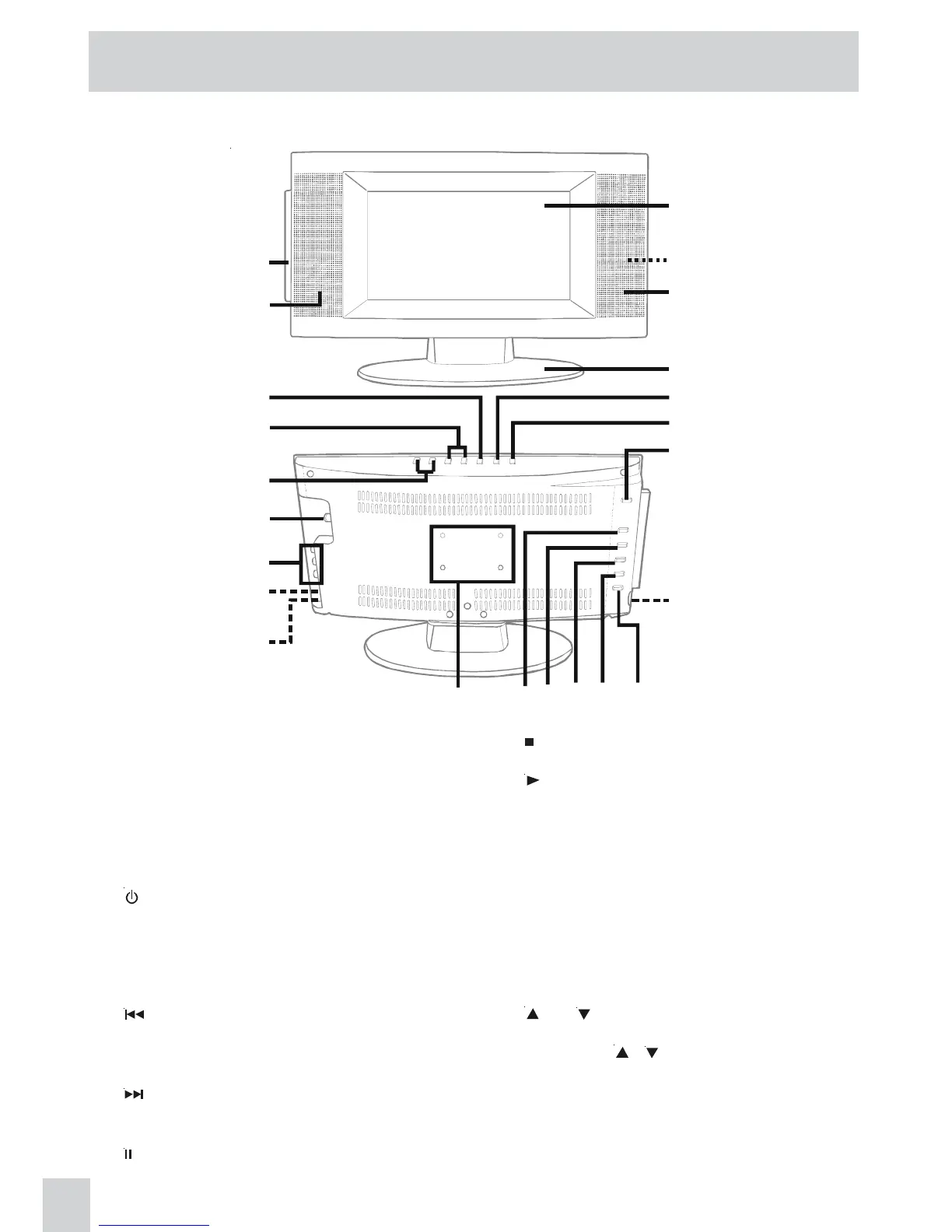
CONTROL REFERENCE GUIDE
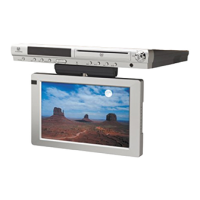
FRONT & BACK VIEWS
1. Color LCD screen
2. Remote sensor
Point the remote control here.
Standby indicator
3. Right speaker
4. Removable stand
5. MENU button
Enters the on-screen TV menu.
6.
/ ON button
Turns the unit on and off.
7. DVD DOOR OPEN button
Open the disc door.
8. AUDIO / VIDEO OUT jacks (DVD out)
Connects to another TV.
9.
PREV button
Press PREV button to go back to previous
chapters / tracks.
Press and hold fast reverse playback.
10.
NEXT button
Press NEXT button to advance chapters / tracks.
Press and hold to fast forward playback.
11. PAUSE button
Pause playback and single frame advance.
12. STOP button
Stop playing a disc.
13.
PLAY button
Press to start and resume playback of a disc.
14. Wall mounting holes
15. DC IN 12V jack
16. Headphones jack
17. AUDIO IN (Left/Right)/ VIDEO IN jacks
18. TV ANTENNA terminal
Connects a TV antenna or CATV cable.
19. - VOL + controls
Adjusts the volume level and highlights
selections (Left & Right) on the TV menu
screen.
20.
CH buttons
Press to confirm selections on the TV menu
screen and
/ to move the TV channels.
21. FUNCTION button
Selects TV / AV IN / DVD
22. Left speaker
23. DVD door
Close by pushing the disc door.
1
2
3
4
5
6
7
8
9
1011
12
1314
15
16
17
18
19
20
21
23
22


 To Next Page