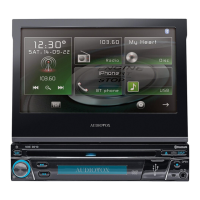
Why can't I repeat or search while playing VCD on my Audiovox Car Receiver?
- AAndrew TrevinoSep 9, 2025
If you cannot repeat or search while playing a VCD on your Audiovox Car Receiver, it is likely because PBC is turned on. Turn PBC off.
Why can't I repeat or search while playing VCD on my Audiovox Car Receiver?
If you cannot repeat or search while playing a VCD on your Audiovox Car Receiver, it is likely because PBC is turned on. Turn PBC off.
What to do if my Audiovox Car Receiver has no/low audio output?
If you're experiencing no or low audio output from your Audiovox Car Receiver, the issue could stem from several causes. First, check the audio output connection and correct the wiring if necessary. Make sure the volume isn't set too low and increase it if needed. Review the wiring diagram to ensure the “MUTE” connection is properly set up. Damaged speakers can also cause this, so consider replacing them. Also, check if the volume balance is heavily biased; if so, adjust the channel balance to the center position. Finally, ensure that the speaker wiring isn't in contact with any metal parts of the car, and if it is, insulate all speaker wiring connections.
Why is the image flashing or showing interference on my Audiovox VXE 3010 screen?
If you're seeing a flashing image or interference on your Audiovox Car Receiver screen, it could be due to the DVD not being compatible with the current TV system settings. Try changing the setup to accommodate the disc. It could also be due to improper video signal connections. If that's the case, check the wiring and correct it.
What to do if my Audiovox VXE 3010 Car Receiver remote control does not work?
If the remote control for your Audiovox Car Receiver isn't working, the first thing to check is the battery. If the battery is depleted, change it. Also, make sure the battery is installed correctly.
Why does my Audiovox Car Receiver unit reset itself when the engine is off?
If your Audiovox Car Receiver resets itself when the engine is off, it's likely due to an incorrect connection between the ACC and the positive battery wire. Check the wiring and correct it.
Why is there no image on my Audiovox Car Receiver?
If there is no image on your Audiovox Car Receiver, the issue could be due to an incorrect connection to the parking brake wire. Check the wiring and correct it. Another possibility is that the parking brake is not engaged. Stop the vehicle in a safe place and apply the parking brake.
Why does my Audiovox VXE 3010 Car Receiver show a 'Region Error'?
If your Audiovox Car Receiver displays a 'Region Error', it means that the DVD is not compatible with the region code of the unit. Use a disc with the proper region code.
What to do if my Audiovox Car Receiver displays 'Error'?
If your Audiovox Car Receiver displays 'Error', it indicates an illegal mechanism operation. Press the EJECT key for 5 seconds to reset the loading mechanism.
Why does my Audiovox VXE 3010 Car Receiver disc not play back?
If your Audiovox Car Receiver disc does not play back, it could be due to several reasons: - The disc may be warped or scratched, so use a disc in good condition. - The disc could be dirty or wet, so clean the disc with a soft cloth. - The laser pickup might be dirty, so clean the laser pickup with a cleaning disc. - An incompatible disc might be used, so use a compatible disc. - The disc region code might not be compatible with the unit, so use a disc with the proper region code. - The disc might be inserted upside down, so insert the disc with the label side up.
Why is the station searching weak on my Audiovox VXE 3010 Car Receiver?
If your Audiovox Car Receiver is showing weak station searching, it could be because the auto antenna is not fully extended or not properly connected. Connect the auto antenna control cable properly. Also, check if the LOCAL function is activated and turn it off if it is.
Detailed explanations of the functions for each button and connector on the front panel.
Describes the functions of the first set of buttons on the remote control.
Details the functions of the second set of buttons on the remote control.
Step-by-step instructions for turning the unit on and off.
Guide to navigating the menu to select sources like Radio, Disc, or Bluetooth.
Guide to opening, closing, and tilting the TFT display screen.
Procedures for performing soft and hard resets on the unit.
How to access and modify equalizer presets, balance, and fade settings.
Steps for connecting a USB device and initiating playback.
Guide to adjusting audio equalization, presets, bass, mid, and treble.
How to connect and control iPod/iPhone via the unit's interface.
Step-by-step guide to pairing a Bluetooth-enabled phone with the unit.
Procedures for making and receiving phone calls using Bluetooth.
Steps for programming steering wheel controls for vehicle integration.
Solutions for power, remote, audio output, and unit reset issues.
Troubleshooting steps for display problems like no image or interference.
Resolving issues with weak station searching, disc insertion, and playback.
| Brand | Audiovox |
|---|---|
| Model | VXE 3010 |
| Category | Car Receiver |
| Language | English |