South of Market Audio Dock Manual 4
We designed the South of Market Audio Dock to be intuitive and easy to
use. To get the most out of its many features, we recommend you take a
few minutes to get to know all the things it can do.
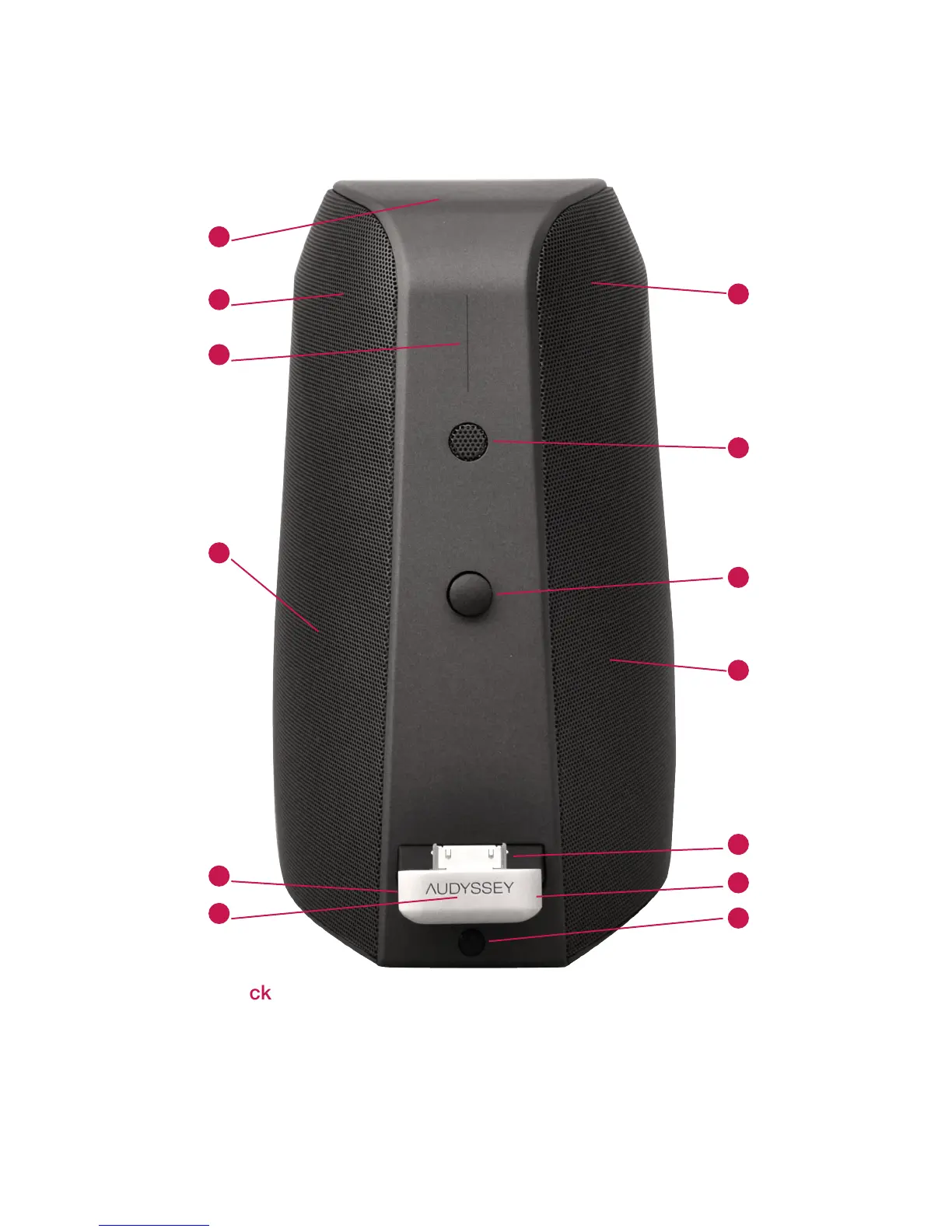
1. Multi-segment volume status indicator
2. Play/Pause touch sensor and indicator
3. Volume DOWN button
4. Volume MUTE button
5. Volume UP button
6. Left-channel tweeter (treble driver)
7. Left-channel woofer (bass driver)
8. Right-channel tweeter (treble driver)
9. Right-channel woofer (bass driver)
10. Front microphone
11. Rubber bumper (adjustable) for resting iPod/iPhone
12. Apple connector port for iPhone/iPod
13. Front infrared remote control receiver
Front of the Audio Dock
Visual Tour
5
13
2
3
4
6
7
9
11
12
10
1
8


 To Next Page