-12--11-
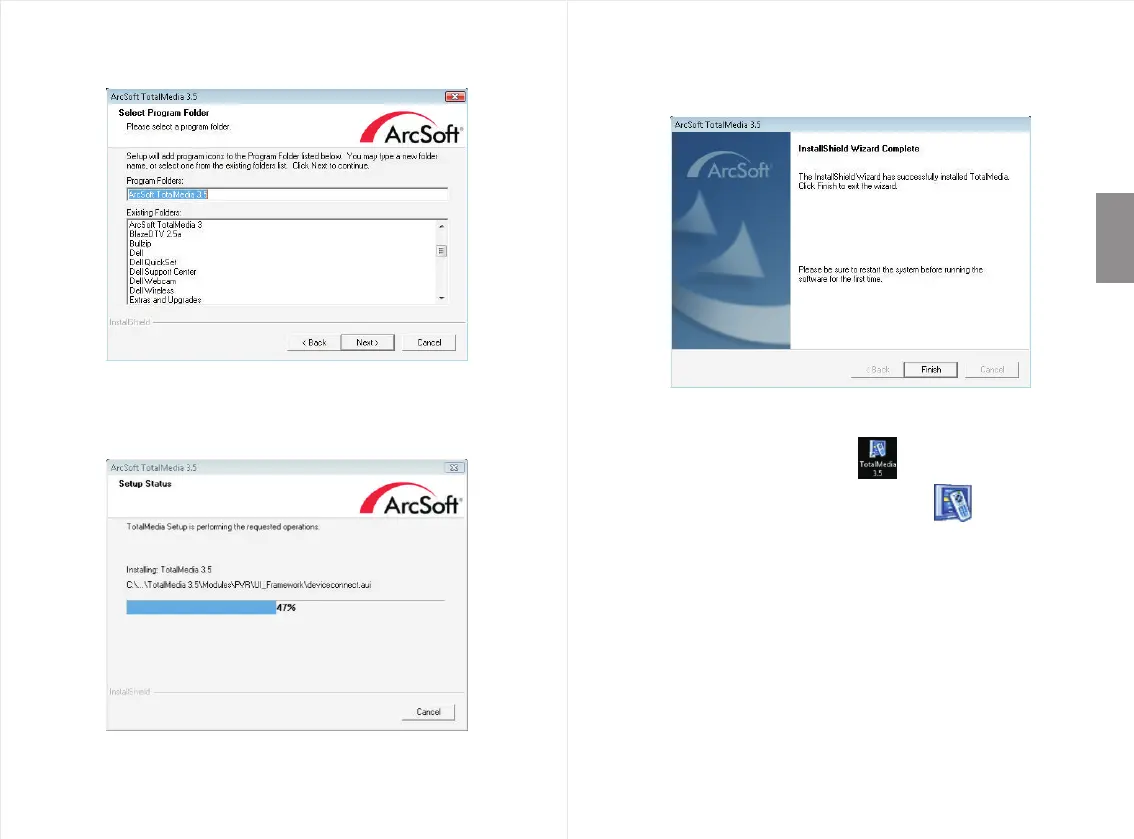
Step 7: Click “Next” once you have chose the destination folder.
Step 8: Please wait whilst Total Media installs.
Step 9: Click “Finish”, to complete the installation of Acrsoft
TotalMedia software.
English
Step 10: T
The i (TMMonitor)
he Total Media icon appear on your
computer’s desktop. cons
will appear on the right bottom corner of your computer
screen.
will
Step 1 : 1 You can now run the Total Media3.5 application to
scan for channels and watch TV on your computer.


 To Next Page