-10--9-
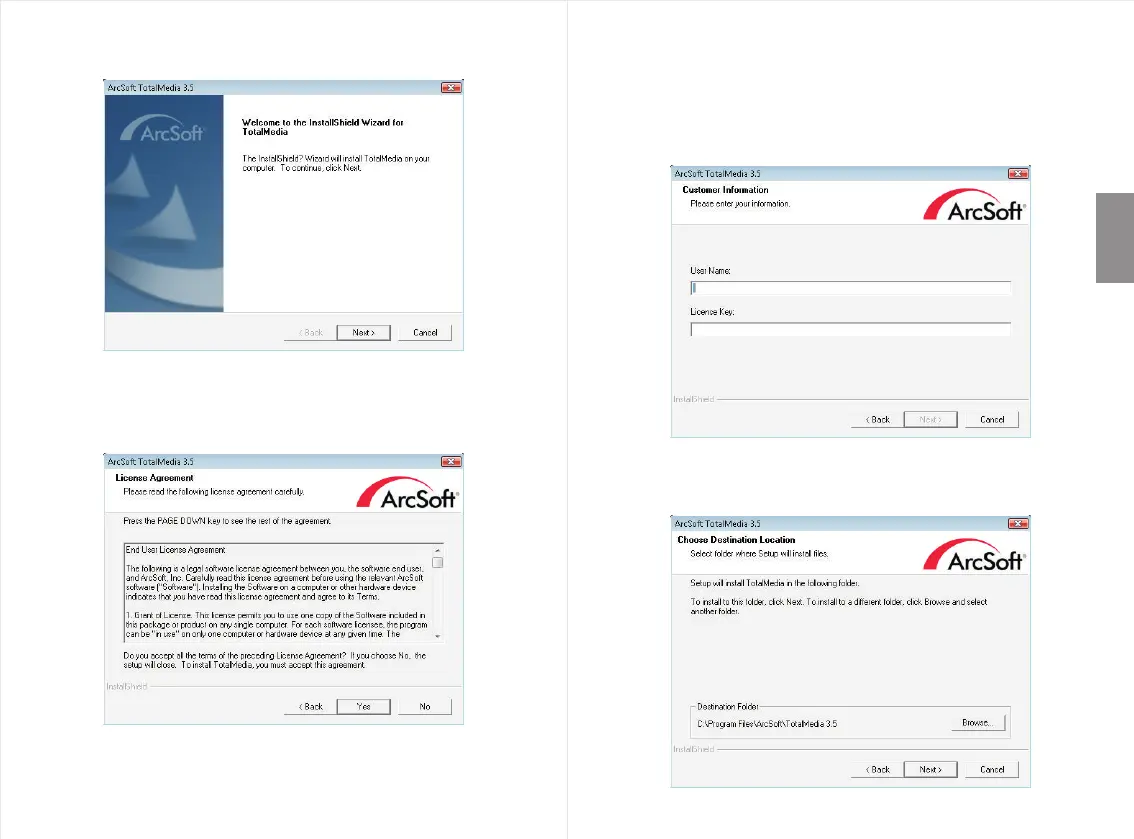
Step 3: Click “Next” to continue the installation.
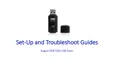
Step 4:
Then click “Yes” to agree to the terms of the license
agreement.
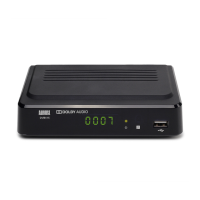
Step 6:
To change the destination folder click “Browse” or
click “Next” to continue.
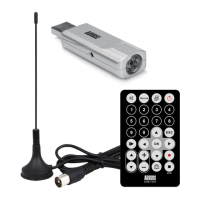
Step 5: Type in a User Name of your choice and the License
Key which can be found on the CD paper wallet, then
click “Next”.
Note: Please keep the License Key for future use as we will
not be able to replace any lost License Keys.
English


 To Next Page