-8-
3.2 Software Installation
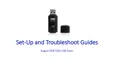
Step 1: Click “Software Install”.
Step 2: Choose your Setup Language once Total Media begins
installing.
English
-7-
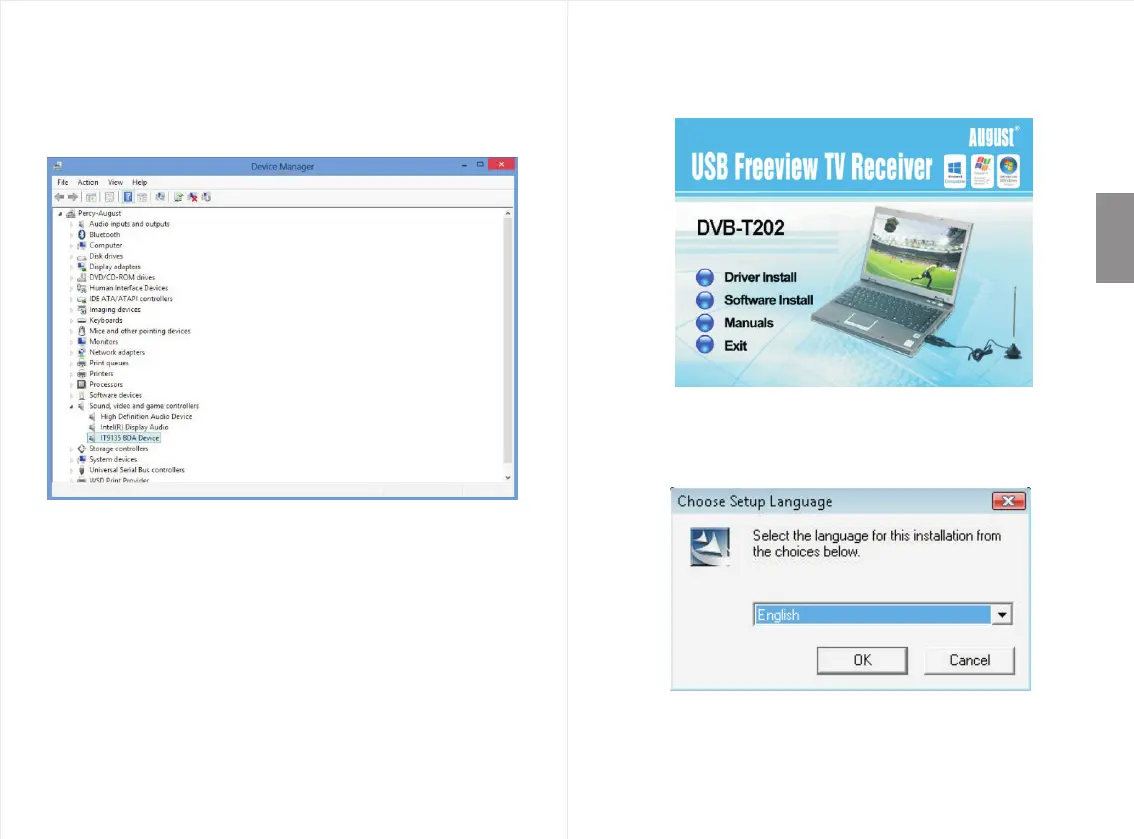
Step 6: To check that the device has installed properly
navigate to your control panel, select “System”->
“Hardware”-> “Device Manager”, and you will
see a new item “IT9315 BDA Device” once the
driver is successfully installed.
Note:
If it has not appeared in Device Manager after installation,
please attempt re-installation.


 To Next Page