5. Choose your adapter
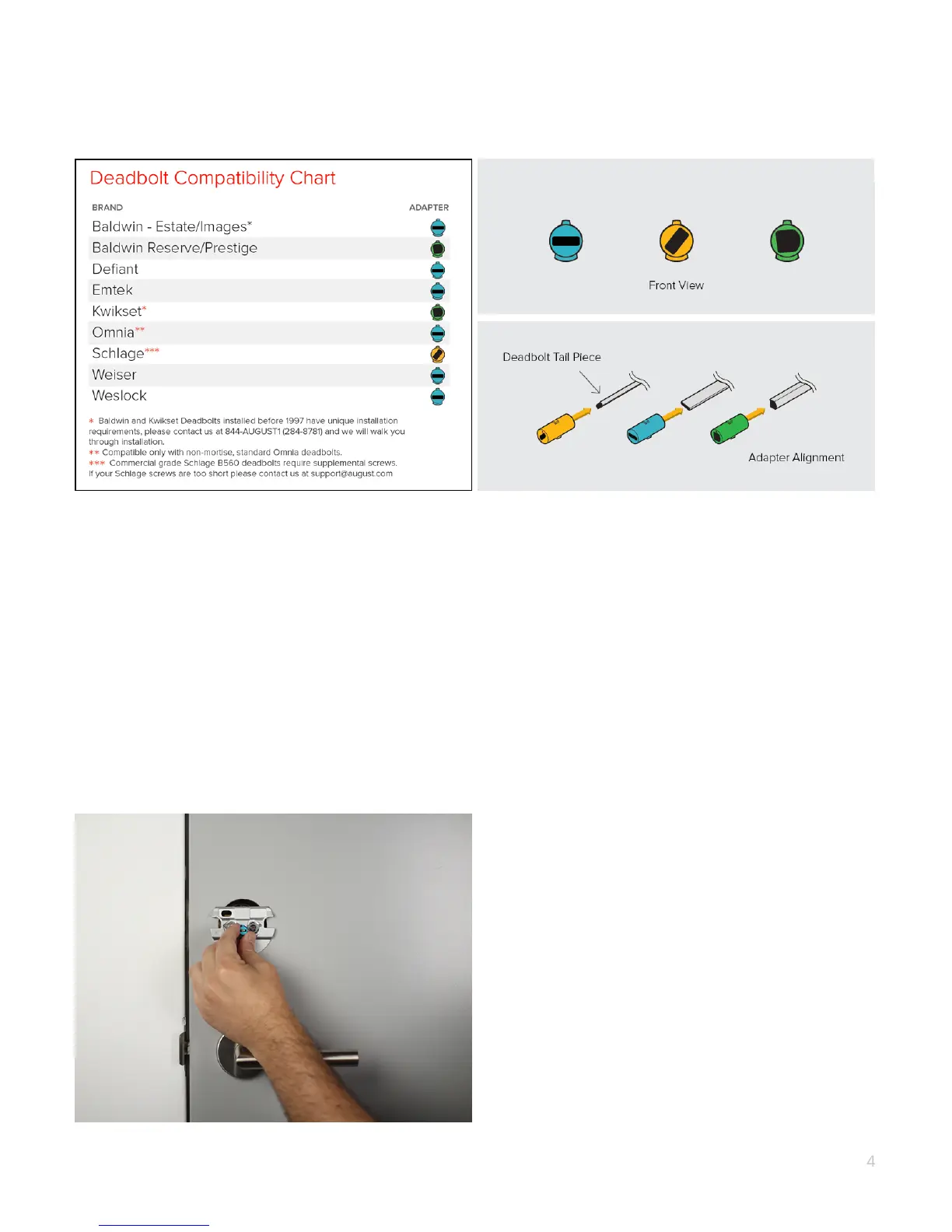
Select your adapter from the Compatibility Chart above.
If your lock brand is not in the chart, slide each adapter onto the tailpiece to find the
right one. The correct adapter will have the small nub pointing up.
NOTE: The adapters can be placed in the mounting plate backwards. So if the shape
is correct, but it seems backwards, try flipping the adapter around.
6. Attach the correct adapter
Place the correct adapter onto the tail piece with the small nub pointing up.
4


 To Next Page