EasyManua.ls Logo

August Smart Lock - User Manual

August Smart Lock
28 pages
Print Icon
To Next Page IconTo Next Page
Loading...
Installation Guide
Question and Answer IconNeed help?

Do you have a question about the August Smart Lock and is the answer not in the manual?

Summary

Welcome and Support Information

Preparation for Installation

TOOLS NEEDED

Specifies the required tools for the installation process, primarily a Phillips screwdriver.

Deadbolt Compatibility Guide

Standard Deadbolt

Details the standard deadbolt type that is compatible with the August Smart Lock.

Integrated Lock & Handle

Explains incompatible lock types featuring integrated handles and thumb-latches.

Mortise Lock

Describes incompatible Mortise lock types, which are integrated door handles and deadbolts.

Package Contents

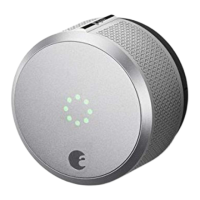
August Smart Lock

The main August Smart Lock device, including pre-installed batteries.

Adhesive Strip

An adhesive strip provided for use during the initial installation steps.

Installation Overview

Before Installation

Diagram illustrating components and their labels prior to starting the installation.

After Installation Overview

After Installation

Diagram illustrating components and their labels after the installation is complete.

Step 1: Prepare Existing Deadbolt

Step 2: Remove Existing Thumb-latch

Step 3: Select Mounting Plate and Adapter

Step 3 a: Select Correct Mounting Plate

Step 4: Position Mounting Plate

Step 5: Position Adapter and Align Plate

Step 6: Attach the August Smart Lock

Step 7: Remove Battery Tabs

Step 8: Install August App

Calibrate Your Lock

Questions and Support

Summary

Welcome and Support Information

Preparation for Installation

TOOLS NEEDED

Specifies the required tools for the installation process, primarily a Phillips screwdriver.

Deadbolt Compatibility Guide

Standard Deadbolt

Details the standard deadbolt type that is compatible with the August Smart Lock.

Integrated Lock & Handle

Explains incompatible lock types featuring integrated handles and thumb-latches.

Mortise Lock

Describes incompatible Mortise lock types, which are integrated door handles and deadbolts.

Package Contents

August Smart Lock

The main August Smart Lock device, including pre-installed batteries.

Adhesive Strip

An adhesive strip provided for use during the initial installation steps.

Installation Overview

Before Installation

Diagram illustrating components and their labels prior to starting the installation.

After Installation Overview

After Installation

Diagram illustrating components and their labels after the installation is complete.

Step 1: Prepare Existing Deadbolt

Step 2: Remove Existing Thumb-latch

Step 3: Select Mounting Plate and Adapter

Step 3 a: Select Correct Mounting Plate

Step 4: Position Mounting Plate

Step 5: Position Adapter and Align Plate

Step 6: Attach the August Smart Lock

Step 7: Remove Battery Tabs

Step 8: Install August App

Calibrate Your Lock

Questions and Support

August Smart Lock Specifications

General IconGeneral
Power SourceBattery
Battery Life3-6 months
ConnectivityWi-Fi, Bluetooth
MaterialMetal, Plastic
FeaturesAuto-Lock, Remote Access, Guest Access
FinishSilver

Related product manuals