EasyManua.ls Logo

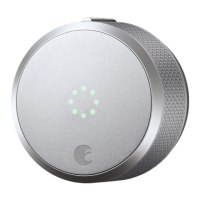
August Smart Lock Pro - User Manual

August Smart Lock Pro
9 pages
Print Icon
To Next Page IconTo Next Page
Loading...
August Smart Lock Pro
Installation Guide
Question and Answer IconNeed help?

Do you have a question about the August Smart Lock Pro and is the answer not in the manual?

Summary

August Smart Lock Pro Installation Guide

Inside the Box

Lists the components included in the August Smart Lock Pro packaging.

What You Need

Details the tools and items required before starting the installation process.

Installation Steps

Prepare Existing Deadbolt

Secures the keyed side of the existing lock using an adhesive strip.

Remove Existing Thumbturn

Unscrews and removes the thumbturn and back plate from the deadbolt.

Prepare Mounting Plate

Adjusts screw-holes on the mounting plate and inserts screws.

Attach Mounting Plate

Secures the mounting plate against the door by tightening screws.

Choose and Attach Adapter

Selects the correct adapter from the chart and attaches it to the tailpiece.

Attach August Smart Lock Pro

Slides the lock over the tailpiece and secures it to the mounting plate.

Remove and Replace Faceplate

Removes the faceplate to access batteries, then replaces it.

Remove Battery Tab

Removes the plastic tab to activate the batteries.

Install DoorSense

Instructions for installing DoorSense to detect door status.

Complete Setup with App

Guides on downloading and using the August Home app for setup.

Help and Support

Contact Information

Provides a phone number and website for assistance.

Summary

August Smart Lock Pro Installation Guide

Inside the Box

Lists the components included in the August Smart Lock Pro packaging.

What You Need

Details the tools and items required before starting the installation process.

Installation Steps

Prepare Existing Deadbolt

Secures the keyed side of the existing lock using an adhesive strip.

Remove Existing Thumbturn

Unscrews and removes the thumbturn and back plate from the deadbolt.

Prepare Mounting Plate

Adjusts screw-holes on the mounting plate and inserts screws.

Attach Mounting Plate

Secures the mounting plate against the door by tightening screws.

Choose and Attach Adapter

Selects the correct adapter from the chart and attaches it to the tailpiece.

Attach August Smart Lock Pro

Slides the lock over the tailpiece and secures it to the mounting plate.

Remove and Replace Faceplate

Removes the faceplate to access batteries, then replaces it.

Remove Battery Tab

Removes the plastic tab to activate the batteries.

Install DoorSense

Instructions for installing DoorSense to detect door status.

Complete Setup with App

Guides on downloading and using the August Home app for setup.

Help and Support

Contact Information

Provides a phone number and website for assistance.

August Smart Lock Pro Specifications

General IconGeneral
Auto-Lock/UnlockYes
DoorSenseYes
Battery Life3-6 months
Activity LogYes
FinishSilver, Dark Gray
CompatibilityWorks with most standard single cylinder deadbolts
ConnectivityBluetooth, Wi-Fi
Power Source4 x AA batteries
Smart Home CompatibilityAmazon Alexa, Google Assistant, Apple HomeKit
Remote AccessYes
Guest AccessYes, via app
InstallationRetrofits existing deadbolt

Related product manuals