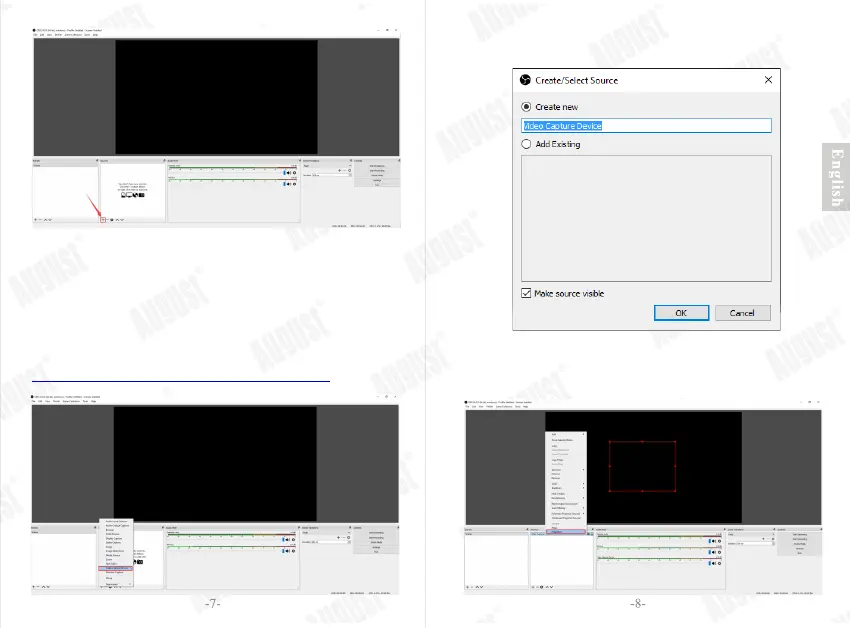
Step 2: Select ‘Video Capture Device’.
Step 3: Change the device’s name or use the default name,
then click on ‘OK’ to continue.
Note:
As a few examples, select Game Capture if you're capturing a game,
Window for non-game applications, or Video Capture Device for a
webcam or capture card.
Laptop users: If your game / window / display capture sources still
show a black screen, please refer to the link below:
https://obsproject.com/w iki/Laptop-Troubleshooting
Step 4: The “Properties” window pops up or you could right
click the source to open the “Properties” window.


 To Next Page