13
Connection Advice
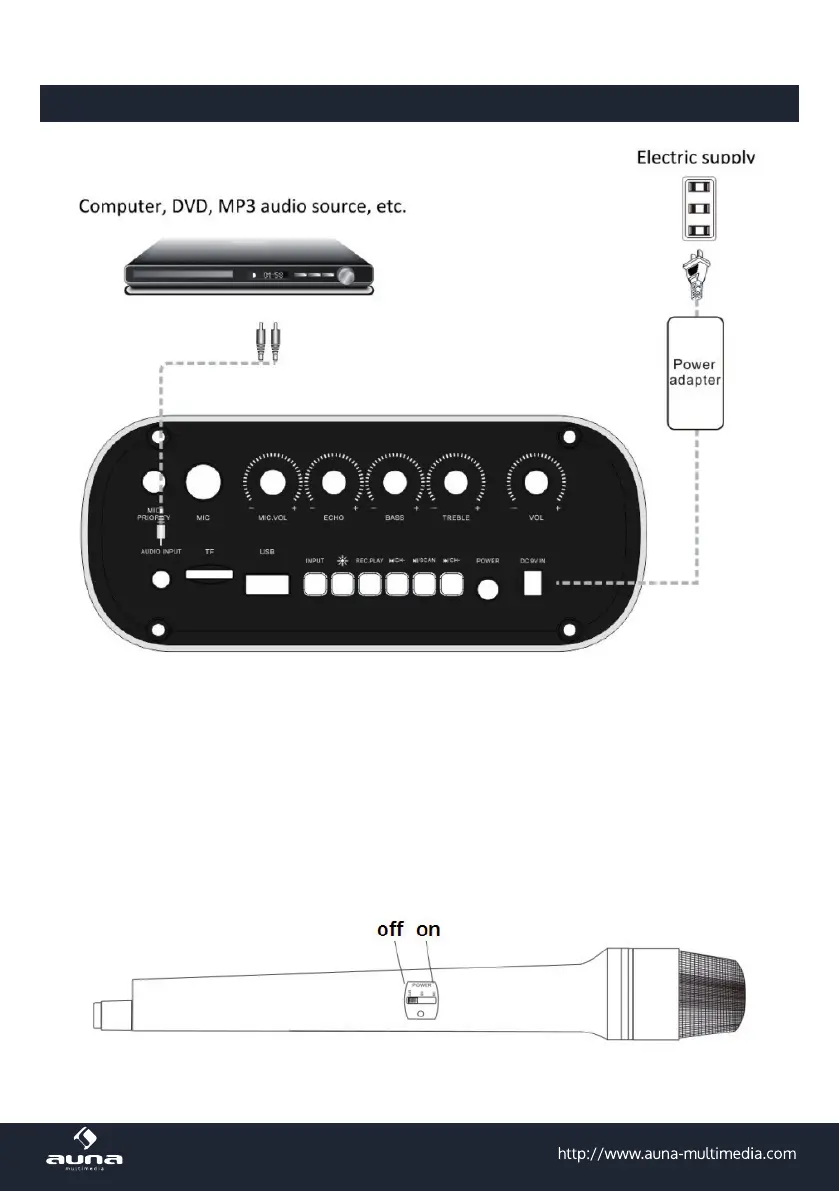
• Connect the device to mains power as well as to external audio sources according to the depiction
above.
• USB drives and SD cards should be formatted in the FAT32 le system. The playback sequence is
alphanumerical („01..“, „02..“, „10..“, „A..“, „B..“, ... ).
• Move any audio les you want to play back with this device into the root folder of your USB/SD drives.
Remove any les and folders that could possibly jam the playback.
• Connect the supplied microphone to the MIC IN jack and slide the power button on the microphone
to ON. Then adjust the microphone volume with MIC VOL. Avoid mic and speaker facing at another. If
feedback noise occurs, do not cover the microphone, but instead, hold it not facing the speaker or turn
down the microphone volume or master volume or turn the microphone o.:



 To Next Page