14
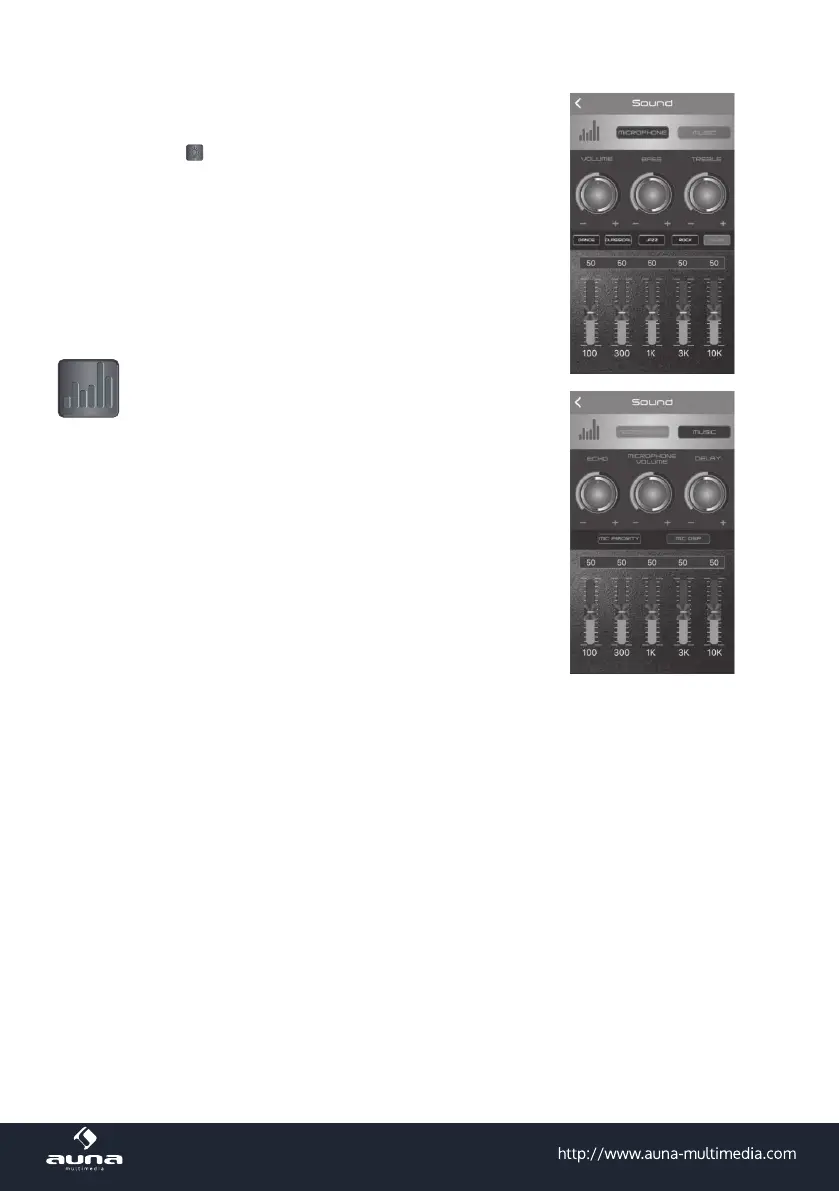
Press to enter the Sound Set page to adjust the
music and microphone volume.
Press MUSIC to adjust the volume, bass and tre-
ble. There are 4 pre-set EQ modes to choose from:
Pop, Classical, Jazz or Rock. You can also press
G-EQ to access the graphic equalizer to set up
your preferred equalizer specication.
Press MICROPHONE to adjust ECHO, MICRO-
PHONE VOLUME, DELAY, MIC PRIORITY and MIC
DSP.
(8) Under the MIC DSP function, there are 5 DSP
modes to choose from: KTV, CAVE, CONCERT,
HALL or STADIUM. Here you can also adjust the
following functions:
MIX VOLUME: Adjust BYPASS and/or EFFECT
mode. Swipe left and right to adjust. ECHO: Adjust
ATTENUATION and/or DELAY mode.
REVBER: Adjust DRY, WET, WIDTH, ROOM and/or
DAMPING mode.
VOICE CHANGE: Adjust PITCH and/or FORMANT
mode.
PITCH SHIFTER: Adjust KEY mode. HOWLING
CONTROL: There are 4 options to choose from:
FREQUENCY SHIFTER, HOWLING, PRECISE or
MASSIVE.



 To Next Page