24
EN
USB MODE
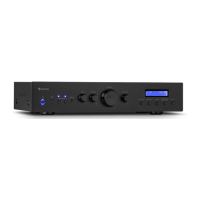
1. To select the USB mode, press the mode button on the device or remote
control and select the USB mode.
2. Press the / buttons to select the previous or next track. Press
the button on the remote control or PLAY/PAUSE on the unit to start
or pause playback.
Note:
• Supported music les: MP3, WMA, WAV.
• Maximum USB size: 32 GB
BT MODE
• If you want to connect a new device to your device, you should disable
the BT function of all previously connected devices.
• Activate the BT function on your mobile device.
• Switch on the device and activate the BT mode. The letters „BT“ ash on
the screen. This indicates that the device is in pairing mode.
• In the device list of your mobile device, look for the device with the
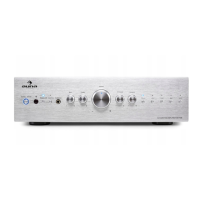
name: „AMP-CD950 DG“.
• Select „OK“ or „YES“ to pair the two devices. If a password is required,
enter „0000“.
• After successful pairing, the BT indicator light is permanently lit in blue.
• Press the DISCONNECT button on the remote control to disconnect the
BT connection.


 To Next Page