EasyManua.ls Logo

auna Roadie Smart - User Manual

auna Roadie Smart
66 pages
Go to English
Print Icon
To Next Page IconTo Next Page
Loading...
www.auna-multimedia.com
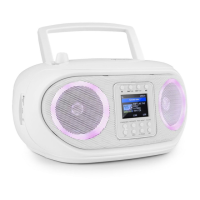
Roadie Smart
Internetradio + CD-Player + BT + DAB/DAB+
Internet Radio CD-Player + BT + DAB/DAB+
10040492 10040493 10040494

Questions and Answers

  • C
    Carol ShannonAug 10, 2025
    Why can't my auna Portable Stereo System play certain radio stations?
    • M
      Mr. James RogersAug 10, 2025
      If your auna Portable Stereo System can connect to the network, but cannot play particular stations, it might be due to several reasons. The station may not be broadcasting at that time, considering time zone differences. The station's server might be overloaded with too many listeners, exceeding its capacity. Also, the link on the radio could be outdated. Note that streaming links are updated regularly. In such cases, you may want to contact customer service.
  • K
    Kimberly Lewis DVMAug 15, 2025
    What to do if 'Skytune is not ready' on auna Roadie Smart Portable Stereo System?
    • T
      Tara JordanAug 16, 2025
      If your auna Portable Stereo System shows 'Skytune is not ready' when selected, try playing lists under history or favorites. If neither plays, check your internet connection to ensure other devices on the same network are working. If the favorites list and history play correctly, power the radio off and on, then try again. If the problem continues, contact customer service for further assistance.
  • H
    Hector LutzAug 20, 2025
    What to do if auna Portable Stereo System shows 'Empty list when Skytune is selected'?
    • D
      Daniel HollandAug 21, 2025
      If your auna Portable Stereo System displays 'Empty list when 'Skytune' is selected,' check if the history or favorites list can play. If these lists work, try again after 30 minutes. If the stations under those lists cannot play, check the internet connection cable.
  • C
    Chase LambertAug 26, 2025
    How to improve DAB/FM radio reception on auna Roadie Smart Portable Stereo System?
    • M
      mosleybryanAug 26, 2025
      To improve poor DAB/FM radio reception on your auna Portable Stereo System, adjust the length and direction of the antenna to achieve better reception.
  • J
    John LucasAug 30, 2025
    What to do if there is no DAB/FM radio reception on auna Roadie Smart?
    • M
      Miranda GreenAug 31, 2025
      To resolve the issue of no DAB/FM radio reception on your auna Portable Stereo System, perform a "Factory Reset" under Configuration in the main menu and extend the antenna. Experiment with different lengths and directions for the antenna. Additionally, move the radio closer to a window.
  • P
    Pamela RodriguezSep 4, 2025
    Why is there no sound from my auna Portable Stereo System?
    • M
      Mr. Rickey MitchellSep 4, 2025
      If there is no sound coming from your auna Portable Stereo System, first, adjust the volume level. Then, check if the internet radio playback has stopped and press the OK button to resume.

auna Roadie Smart Specifications

General IconGeneral
Bluetooth Range10 m
ConnectivityBluetooth, USB, AUX
Supported Radio BandsFM
BluetoothYes
USB PlaybackYes
CD PlayerYes
Display TypeLCD
USB PortYes
AUX InYes
Water ResistanceNo
Power SourceAC Power
Battery TypeNot applicable
RMS Rated Power10 W
Power Output2 x 5 Watts

Related product manuals