13
EN
INITIAL USE
• Before operation, please make sure that the VOLTAGE mentioned on
the power supply is same as the voltage of your local area.
• Use the supplied mains adaptor to connect the device to a household
mains socket.
• Switch the device on with the power switch on the rear.
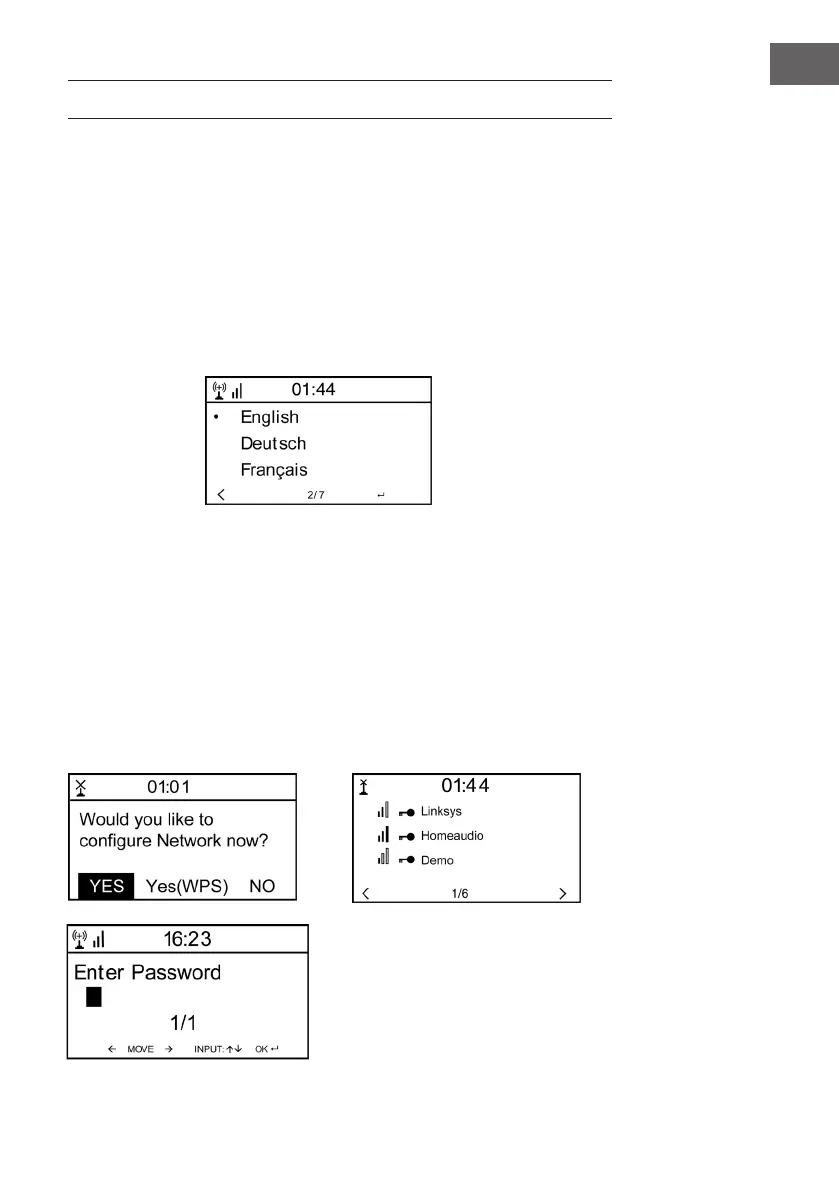
• When it is the rst time running the device, the system will ask you to
set Language and Network Congurations. You may setup the network
connection immediately, or set it later. Use Navigate to select the
desired option. Press Navigate/OK to conrm.
• Press Standby button when unit is power on, unit will go to standby
mode. Press again will make it on again.
Network conguration
1 Normal network conguration
Select “Yes” for the normal Wireless Network Conguration: Then
select the required AP by turning” Navigate” and conrm it by pressing”
Navigate/OK”.
Enter WEP or WPA code to connect the WiFi network by select the
correct character turning the “Navigate/OK” button.
Press button to select the next character.
In this condition, press button you can turn left and delete the left
characters at the same time: when the password is complete please
press” Navigate/OK” button to conrm.









 To Next Page