16
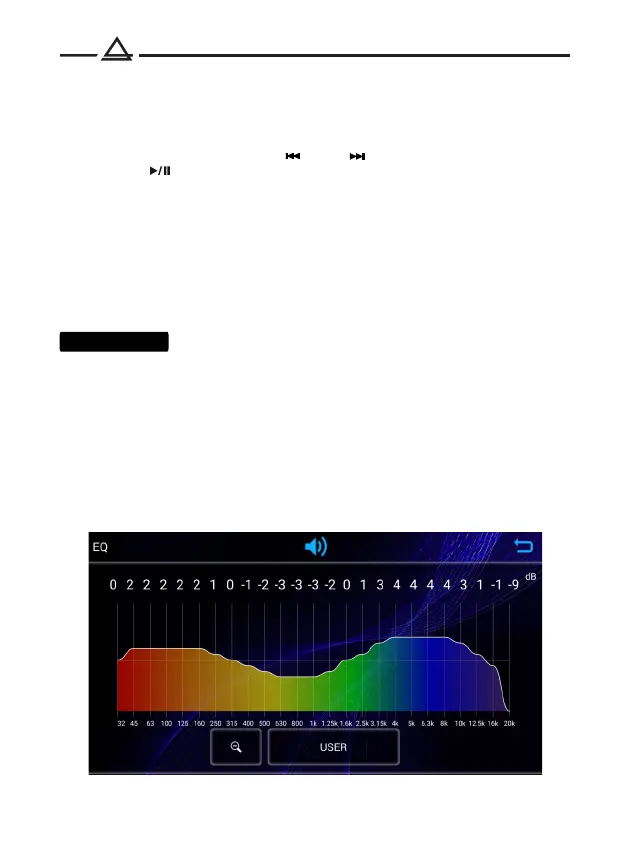
25-band equalizer
Bluetooth music (A2DP)
The AMH-77DSP receiver supports the Bluetooth A2DP audio transmission protocol.
After successfully pairing your mobile device with the receiver, you can
play music from your phone on the car audio system.
To switch tracks, press buttons (11) or (12) .
Press the (18) button to stop playback.
AUX
You can connect an external source to the 3.5mm jack on the front of the receiver
using the AurA AUX cable (optional).
Reset settings
Press the (7) reset button to reset the device to factory settings.
Phone App
Most of the device settings are available in the AurA mobile application
for Android or IOS.
You can control the AMH-77DSP receiver from your smartphone:
1. Install the AurA Audio app from Google Play or App Store.
2. Connect your smartphone to the receiver via Bluetooth.
3. Launch the AurA Audio app to control the receiver.



 To Next Page