9
3 - OPERATING INSTRUCTIONS
Caution! The heater must be properly installed before it is used.
3.1 REMOTE CONTROL
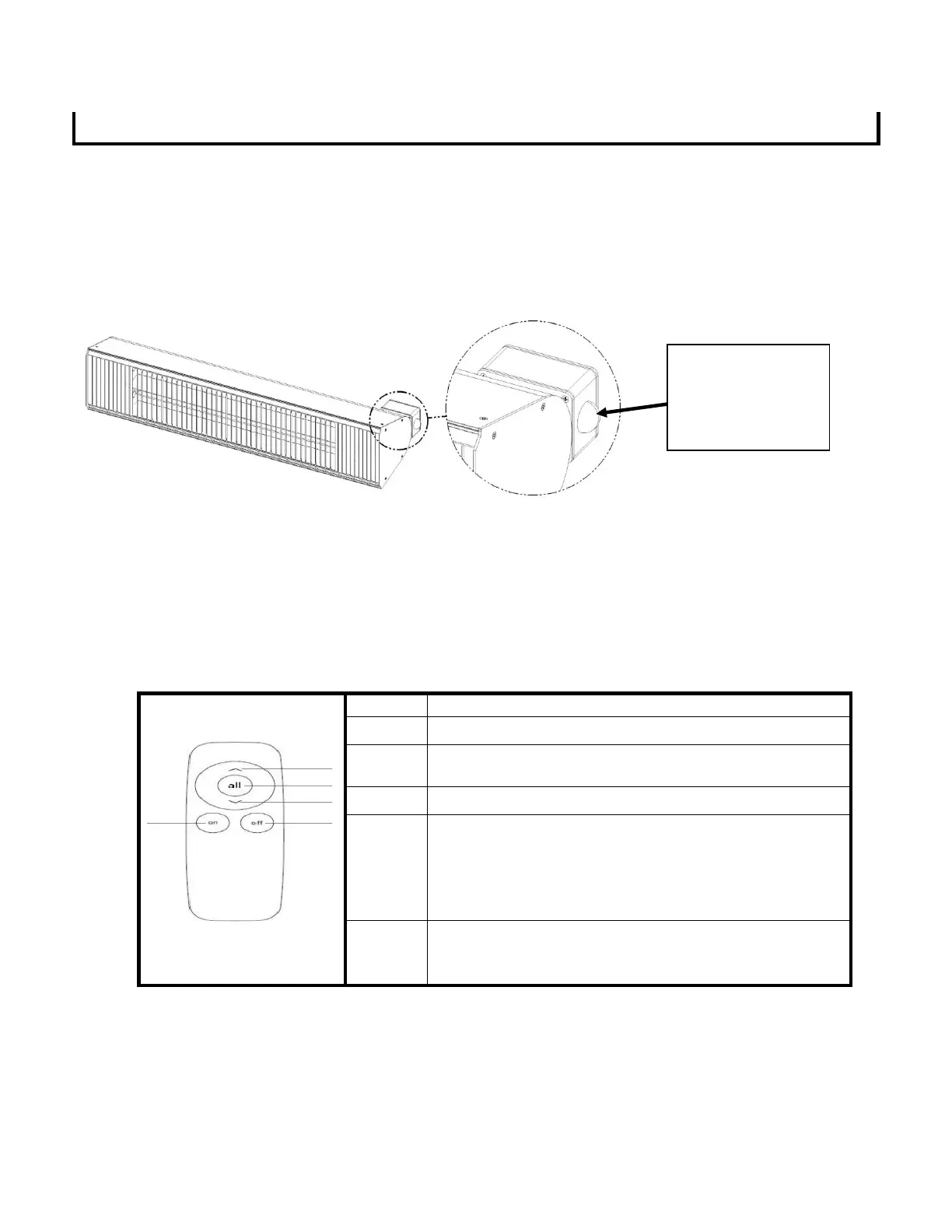
The remote control must be pointed in the direction of the receiver on the heater junction box. (located on the
right side of the heater). The remote must be in line of sight of the domed receiver when the user intends to
adjust the power level. The remote must be used within a maximum distance of 6 m.
In remote mode the heater has the option to run at 50% or 100% power. Each emitter is controlled separately
using the up and down arrows on the remote. Pressing the up button (˄) will turn the upper emitter on. Pressing
up again will turn the upper emitter off. Pressing the down button (˅) will turn the lower emitter on. Pressing
down again will turn the lower emitter off. Pressing the (all) button will turn both emitters on, pressing it again
will turn both emitters off.
3.1.1 OPERATION OF THE REMOTE CONTROL
Turns the upper lamp on and off
The heater goes directly to the highest heating level
(short delay on start).
Turns the lower lamp on and off
To switch the heater ON: Press On.
The heater has a soft start function using only 16% of
maximum power. 4 seconds after the heater has been
turned on, the heater will automatically switch to 100%
power.
To switch the heater OFF: Press OFF. The heater will
switch to Standby mode (the receiver indicator will light
up).
Notice:
1. Use 2 pieces AAA, 1.5V batteries (not included) in the remote control. Remove the batteries when not in use for an
extended period of time to increase battery life.
2. Contact your local authorized Aura Dealer for remote replacement.
Remote must be in
direct line of sight
of the receiver
dome.



 To Next Page