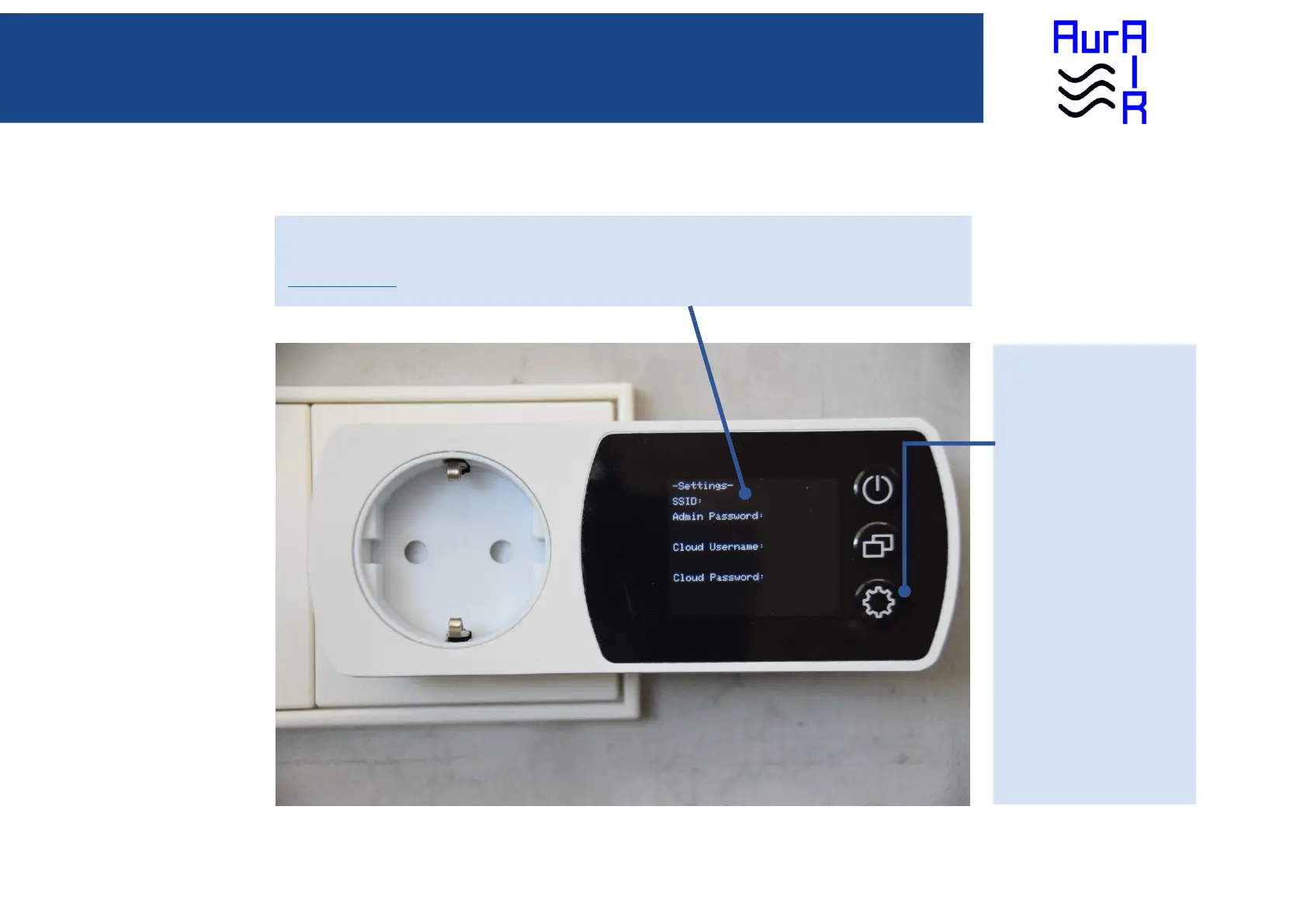
Settings
Various import network settings are displayed here, like admin password, cloud username and cloud password. In case you forgot
the admin password, it can be seen here. The cloud username and password are needed to login into the cloud. Go to
https://www.aurair.eu and login to see your history!
SETTINGS Button
Single click: Switch display to
settings page.
To switch display to “CO2 Value”
view again, do another single click.
Double click: Disable admin
password for the next 5 minutes,
enabling you to login without
password. To switch display to
“CO2 Value” view again, do
another double click.
Long click: Restores Factory
settings. On the display the
question is asked if you want to
restore factory settings. Pressing
the mode button means YES,
pressing the settings button means
NO.


 To Next Page